

การจัดการ API key
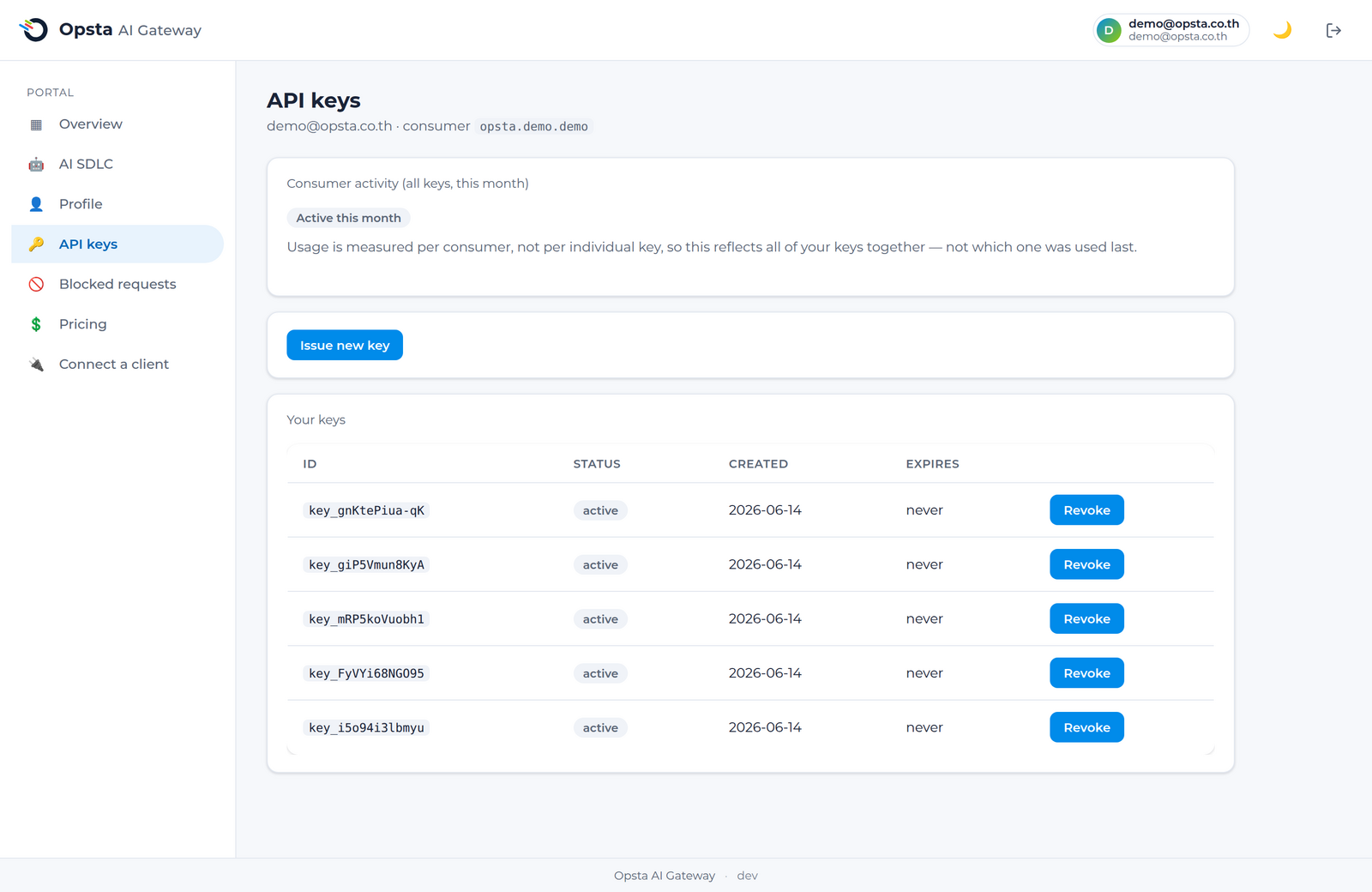
API key ทำหน้าที่ยืนยันตัวตนสำหรับคำร้องขอของคุณ โดยจะผูกคำร้องเหล่านั้นเข้ากับบัญชีของคุณเพื่อใช้ในการจัดการงบประมาณ ขีดจำกัด และปริมาณการใช้งาน คุณสามารถจัดการคีย์ของตนเองได้จากหน้า API key บน console โดยไม่จำเป็นต้องผ่านผู้ดูแลระบบ
สิ่งที่ต้องเตรียมความพร้อม
เข้าสู่ระบบเรียบร้อยแล้วและบัญชีของคุณได้รับการผูกเข้ากับผู้บริโภคเรียบร้อยแล้ว (วิธีการเข้าใช้งาน)
การออกคีย์ใหม่
- เปิดหน้า API key บน console
- คลิก Create key
- คัดลอกและเก็บคีย์ไว้ทันที เนื่องจากคีย์จะถูกแสดงเพียงครั้งเดียวและไม่สามารถเรียกดูได้อีกหลังจากนี้
- นำไปใช้เป็น token สำหรับ
Authorization: Bearerเมื่อคุณต้องการ เชื่อมต่อฝั่งไคลเอนต์
จัดการคีย์เหมือนข้อมูลที่เป็นความลับ
คีย์นี้จะแสดงข้อมูลระบุตัวตนของคุณและมีผลต่อการหักงบประมาณของคุณโดยตรง โปรดจัดเก็บไว้ในโปรแกรมจัดการความลับ (secret manager) หรือตัวแปรสภาพแวดล้อม (environment variable) และห้ามบันทึกคีย์ลงในระบบจัดการโค้ดต้นทางอย่างเด็ดขาด
การหมุนเวียนคีย์ (Rotate key)
ออกคีย์ใหม่ ปรับแต่งไคลเอนต์ของคุณให้เปลี่ยนมาใช้คีย์ใหม่ จากนั้นยกเลิกคีย์เก่า การดำเนินการลักษณะนี้ช่วยให้คุณเปลี่ยนข้อมูลสิทธิ์การเข้าใช้งานได้โดยระบบไม่ต้องหยุดทำงานชั่วคราว
การยกเลิกคีย์ (Revoke key)
คลิก Revoke ถัดจากคีย์ที่ต้องการเพื่อปิดการใช้งานคีย์ดังกล่าวในทันที ไคลเอนต์ใด ๆ ที่ยังคงใช้คีย์นั้นอยู่จะเริ่มได้รับสถานะกลับไปเป็น 401 Unauthorized
กิจกรรมการใช้งาน
หน้านี้จะแสดงข้อมูลว่าผู้บริโภคของคุณมีกิจกรรมการใช้งานในเดือนนี้หรือไม่ พร้อมทั้งแสดงสรุปเวลาการใช้งานล่าสุด เพื่อให้คุณสามารถตรวจสอบคีย์ที่ไม่ได้ใช้งานหรือคีย์ที่อาจเกิดข้อมูลรั่วไหลได้
ขั้นตอนต่อไป
- เชื่อมต่อฝั่งไคลเอนต์ — วิธีการนำคีย์ไปใช้งานจริง
- ปริมาณการใช้งานและงบประมาณ — ตรวจสอบยอดใช้จ่ายของแต่ละคีย์