

Manage API keys
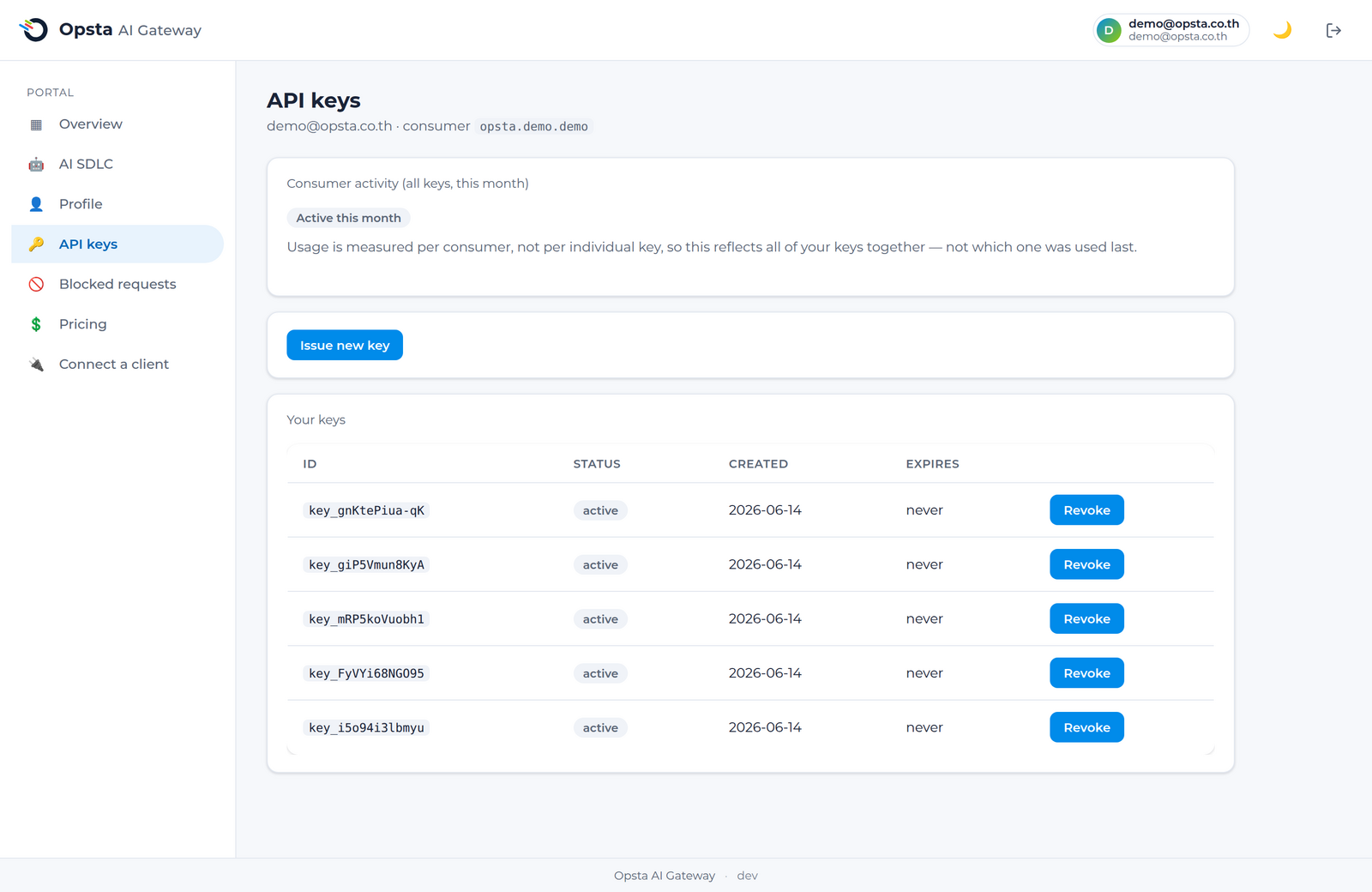
An API key authenticates your requests and ties them to you for budgets, limits, and usage. You manage your own keys from the API keys page in the console — no admin needed.
Prerequisite
You're signed in and your account is linked to a consumer (Get access).
Issue a key
- Open API keys in the console.
- Click Create key.
- Copy the key immediately — it is shown once and cannot be retrieved later.
- Use it as the
Authorization: Bearertoken when you connect a client.
Treat keys as secrets
A key carries your identity and spends against your budget. Store it in a secret manager or environment variable — never commit it to source control.
Rotate a key
Create a new key, switch your clients to it, then revoke the old one. This lets you roll credentials with no downtime.
Revoke a key
Click Revoke next to a key to disable it immediately. Any client still using it will start receiving 401 Unauthorized.
Activity
The page shows whether your consumer has been active this month and a last-used summary, so you can spot unused or leaked keys.
Next steps
- Connect a client — use your key.
- Usage & budget — see what your keys are spending.