

วิธีการเข้าใช้งาน
หน้านี้มีเนื้อหาสำหรับนักพัฒนาที่ต้องการเรียกใช้งาน gateway โดยจะครอบคลุมถึงวิธีการเข้าสู่ระบบ สิ่งที่คุณจะได้รับจากบัญชีของคุณ และขั้นตอนการทำงานถัดไป
การเข้าสู่ระบบ
เปิด web console ที่ URL https://console.<your-domain> แล้วเข้าสู่ระบบด้วยระบบ Single Sign-On ขององค์กรคุณ เช่น Google Workspace, Microsoft Entra หรือผู้ให้บริการยืนยันตัวตนขององค์กรคุณ โดยระบบนี้ไม่มีการจัดการรหัสผ่านแยกต่างหาก เนื่องจากข้อมูลระบุตัวตนของคุณจะดึงมาจากระบบลงชื่อเข้าใช้งานของบริษัทโดยตรง
เมื่อเข้าสู่ระบบเป็นครั้งแรก คุณจะเข้าสู่องค์กรและกลุ่มที่ถูกต้องโดยอัตโนมัติ โดยอิงตามกลุ่มในระบบผู้ให้บริการระบุตัวตนของคุณ และไม่จำเป็นต้องตั้งค่าเพิ่มเติมเป็นรายผู้ใช้
สิ่งที่ต้องเตรียมความพร้อม
ผู้ดูแลระบบของคุณต้องส่งคำเชิญไปยังอีเมลของคุณเพื่อเข้าร่วมองค์กร หรือตั้งค่าผู้ให้บริการระบุตัวตนเพื่อเตรียมสิทธิ์ของสมาชิกไว้ในการเข้าสู่ระบบครั้งแรก หากคุณพบข้อความ "account isn't linked" โปรดติดต่อผู้ดูแลระบบระดับองค์กร (org admin) ของคุณ โดยดูข้อมูลเพิ่มเติมได้ที่ องค์กรและสมาชิก
สิ่งที่บัญชีของคุณจัดการได้
เมื่อเข้าสู่ระบบแล้ว หน้า ภาพรวม (Overview) จะเป็นแดชบอร์ดของคุณ โดยคุณสามารถทำสิ่งต่าง ๆ ผ่านพอร์ทัลได้ดังนี้
- ตรวจสอบปริมาณการใช้งานและงบประมาณ ได้แก่ จำนวน token ที่ใช้ไปและยอดใช้จ่ายในหน่วย USD เทียบกับงบประมาณที่เหลืออยู่แยกตามรายโมเดล ดูรายละเอียดได้ที่ ปริมาณการใช้งานและงบประมาณ
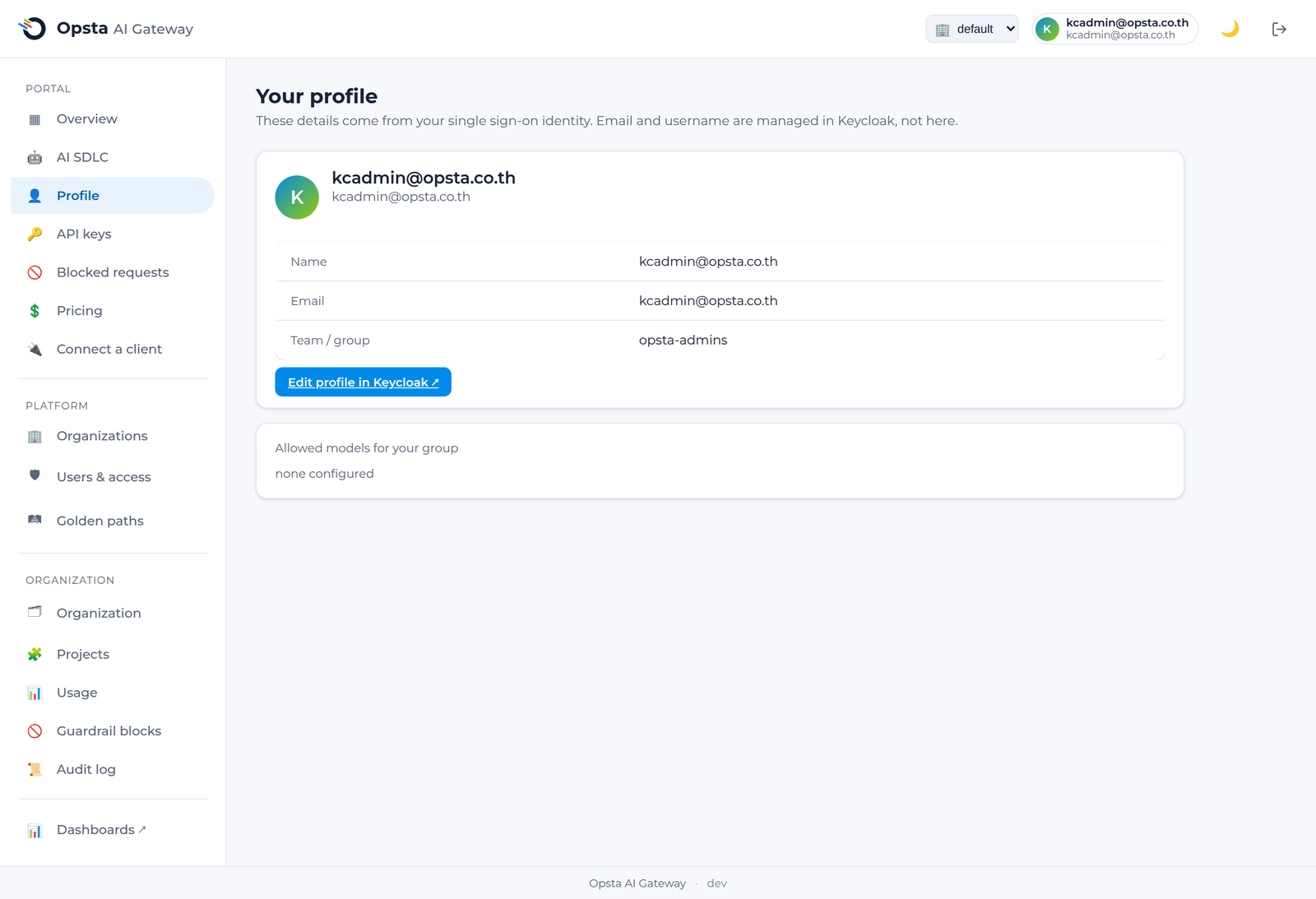
- ดูข้อมูลโปรไฟล์ของคุณ ได้แก่ ชื่อ อีเมล ทีมหรือกลุ่ม และโมเดลที่กลุ่มของคุณได้รับอนุญาตให้เข้าใช้งานได้
- ออกและจัดการ API key ของตนเอง
- คัดลอกค่ากำหนดสำหรับการ เชื่อมต่อฝั่งไคลเอนต์ เช่น opencode, Crush หรือ SDK ใด ๆ ที่เข้ากันได้กับมาตรฐาน OpenAI
- ตรวจสอบรายการ การร้องขอที่ถูกบล็อก ในกรณีที่คำร้องขอของคุณถูกปฏิเสธจากระบบ guardrail
ขั้นตอนต่อไป
- เชื่อมต่อฝั่งไคลเอนต์ เพื่อเริ่มต้นส่งคำร้องขอ
- จัดการ API key เพื่อออกคีย์แรกของคุณ