

เชื่อมต่อฝั่งไคลเอนต์
gateway ให้บริการ API ที่เข้ากันได้กับมาตรฐาน OpenAI ส่งผลให้ไคลเอนต์หรือ SDK ใด ๆ ที่รองรับมาตรฐาน OpenAI สามารถเรียกใช้งานร่วมกันได้ทันที โดยตั้งค่าเพียง 2 ส่วน ได้แก่ base URL และ API key ของคุณ
สิ่งที่ต้องเตรียมความพร้อม
- เข้าสู่ระบบ console เรียบร้อยแล้ว (วิธีการเข้าใช้งาน)
- มี API key พร้อมใช้งาน (การจัดการ API key)
Endpoint ของคุณ
| ค่ากำหนด | ค่าที่ตั้ง |
|---|---|
| Base URL | https://api.<your-domain>/v1 |
| การยืนยันตัวตน | Authorization: Bearer <your-api-key> |
| โมเดล | โมเดลเชิงตรรกะ (logical model) ที่กลุ่มของคุณได้รับอนุญาต เช่น coding-default หรือ bulk ดูรายละเอียดได้ที่ โมเดลและการจัดเส้นทาง |
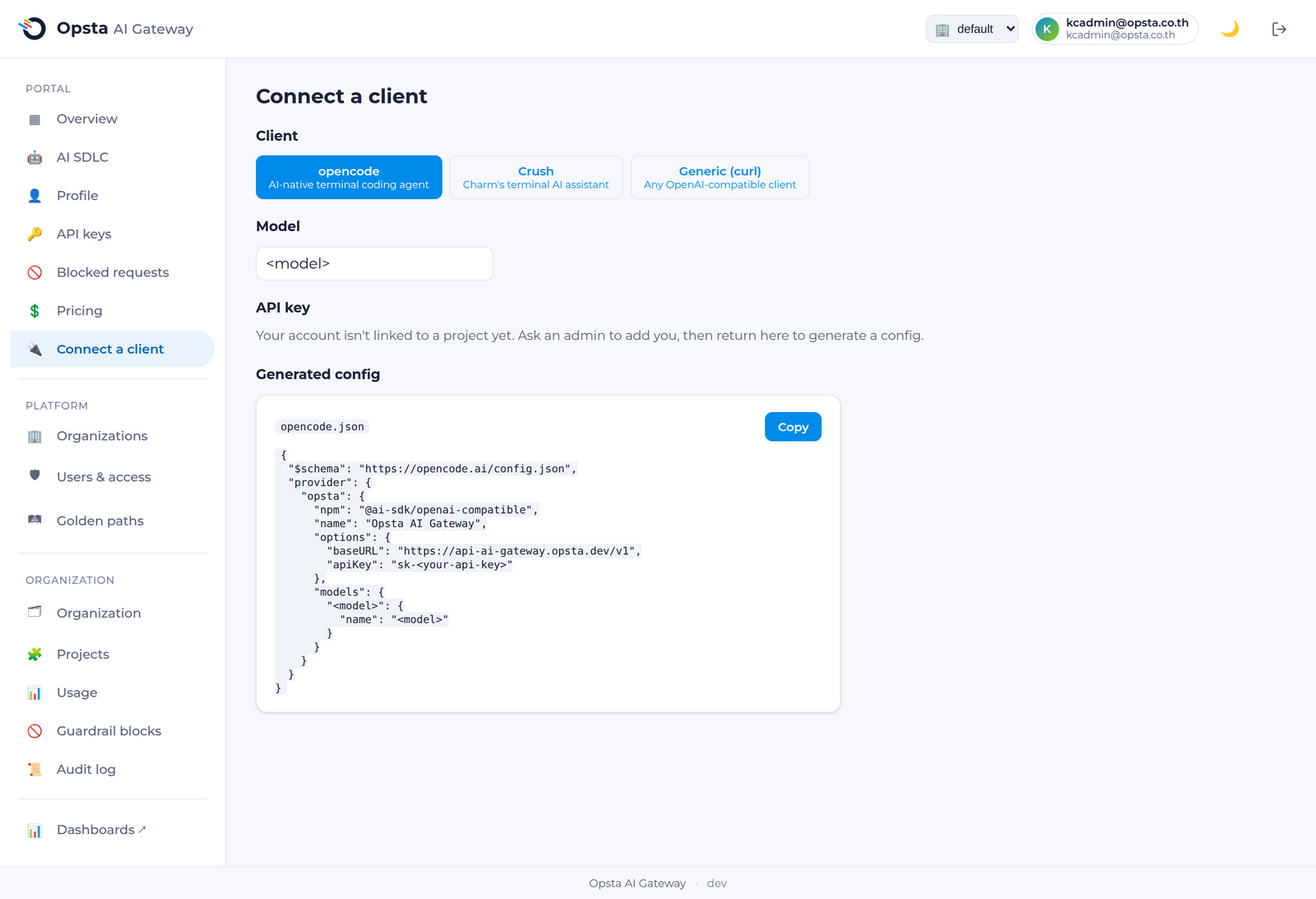
หน้า เชื่อมต่อฝั่งไคลเอนต์ (Connect a client) บน console จะแสดงข้อมูล base URL โมเดลที่คุณสามารถใช้งานได้ และตัวอย่างโค้ดที่สามารถคัดลอกไปใช้งานได้ทันที
curl
bash
curl https://api.<your-domain>/v1/chat/completions \
  -H "Authorization: Bearer $OPSTA_API_KEY" \
  -H "Content-Type: application/json" \
  -d '{
    "model": "coding-default",
    "messages": [{"role": "user", "content": "Hello"}]
  }'
OpenAI SDK (Python)
python
from openai import OpenAI

client = OpenAI(
    base_url="https://api.<your-domain>/v1",
    api_key="<your-api-key>",
)
resp = client.chat.completions.create(
    model="coding-default",
    messages=[{"role": "user", "content": "Hello"}],
)
print(resp.choices[0].message.content)
opencode / Crush
กำหนดค่าเครื่องมือของคุณให้ชี้มายัง gateway ในฐานะผู้ให้บริการที่เข้ากันได้กับมาตรฐาน OpenAI โดยกำหนดค่า base URL เป็น https://api.<your-domain>/v1 กำหนด API key ด้วยคีย์ที่คุณได้รับ และระบุชื่อโมเดลเป็นโมเดลเชิงตรรกะรายการที่คุณสามารถใช้งานได้ ซึ่งหน้า เชื่อมต่อฝั่งไคลเอนต์ (Connect a client) จะมีบล็อกค่ากำหนดสำเร็จรูปที่สร้างขึ้นเพื่อนำไปใช้กับเครื่องมือของคุณได้ทันที
ขั้นตอนต่อไป
- โมเดลและการจัดเส้นทาง — โมเดลใดบ้างที่คุณสามารถใช้งานได้และระบบจัดเส้นทางทำงานอย่างไร
- การใช้งาน MCP server — เชื่อมต่อ AI agent เข้ากับเครื่องมือที่อยู่ภายใต้การควบคุม
- ปริมาณการใช้งานและงบประมาณ — ติดตามค่าใช้จ่ายของคุณ