

ปริมาณการใช้งานและงบประมาณ
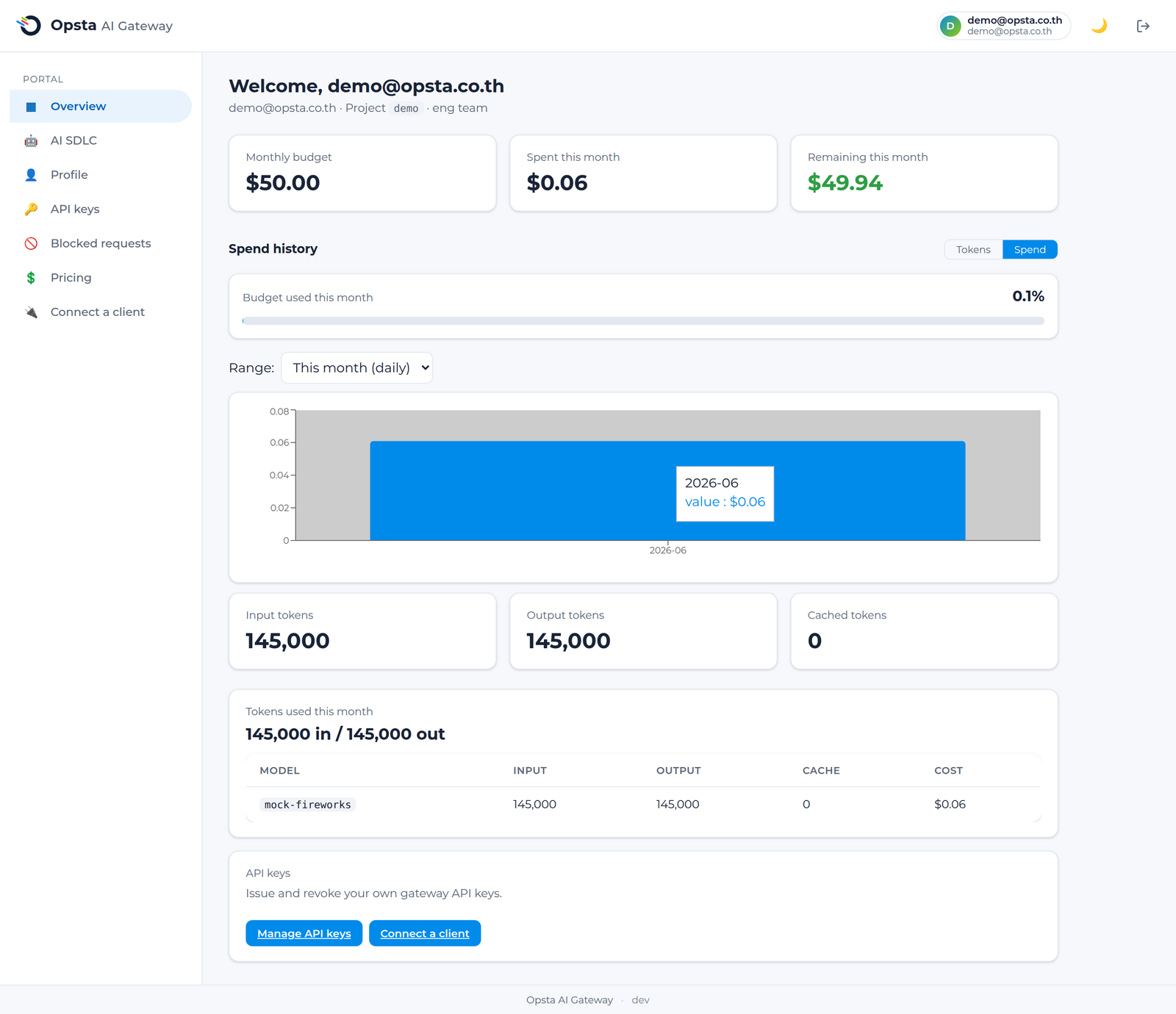
แดชบอร์ด ภาพรวม (Overview) จะแสดงรายละเอียดปริมาณการใช้งานของคุณและยอดคงเหลือที่ใช้ได้ ทำให้หมดกังวลเรื่องค่าใช้จ่ายส่วนเกินที่คาดไม่ถึง
สิ่งที่ต้องเตรียมความพร้อม
เข้าสู่ระบบเรียบร้อยแล้วและบัญชีของคุณได้รับการผูกเข้ากับผู้บริโภคเรียบร้อยแล้ว (วิธีการเข้าใช้งาน)
ข้อมูลที่แสดงบนหน้าจอ
- งบประมาณรายเดือน: งบประมาณ USD ยอดที่ใช้จ่ายไปแล้ว และงบประมาณคงเหลือสำหรับเดือนปัจจุบัน อ้างอิงตามเวลามาตรฐานสากล (UTC)
- ปริมาณการใช้งาน Token: จำนวน token ฝั่งขาเข้า (input) ฝั่งขาออก (output) และ token ที่ดึงมาจากแคช (cached tokens)
- การจำแนกตามรายโมเดล: รายละเอียดค่าใช้จ่ายแยกตามแต่ละโมเดล เพื่อช่วยให้คุณทราบสัดส่วนการใช้งานและการใช้จ่ายจริง
แนวทางการทำงานของระบบงบประมาณ
งบประมาณของคุณทำงานอยู่ภายใต้โครงสร้างลำดับชั้น ได้แก่ องค์กร ≥ โปรเจกต์ ≥ กลุ่ม ≥ ผู้ใช้งาน ซึ่งระบบจะนำเพดานที่เข้มงวดที่สุดมาใช้บังคับจริง เมื่อปริมาณการใช้จ่ายของคุณถึงเกณฑ์ที่กำหนดไว้ การส่งคำร้องขอเพิ่มเติมหลังจากนั้นจะถูกปฏิเสธพร้อมสถานะกลับมาเป็น 429 Too Many Requests จนกว่าจะขึ้นเดือนใหม่ หรือจนกว่าผู้ดูแลระบบจะขยายขีดจำกัดงบประมาณให้คุณ
ระบบ semantic caching จะช่วยประหยัดงบประมาณของคุณ โดยคำสั่งหรือ prompt ที่เหมือนหรือคล้ายคลึงกันจะถูกดึงคำตอบมาจากแคช ซึ่งไม่มีการหักงบประมาณใด ๆ ของคุณเพิ่ม
หากการใช้งานของคุณถึงขีดจำกัด
- รอการรีเซ็ตยอดใช้งานใหม่เมื่อขึ้นเดือนใหม่ หรือ
- ติดต่อผู้ดูแลระบบระดับองค์กร (org admin) ของคุณเพื่อปรับปรุง งบประมาณหรือขีดจำกัด
ขั้นตอนต่อไป
- การร้องขอที่ถูกบล็อก — กรณีที่คำร้องขอถูกปฏิเสธจากระบบ guardrail แทนเรื่องงบประมาณ
- วงจรชีวิตของการร้องขอ — ทำความเข้าใจว่า Gate ใดที่เป็นผู้ส่ง status code กลับมา