

การใช้งาน MCP server
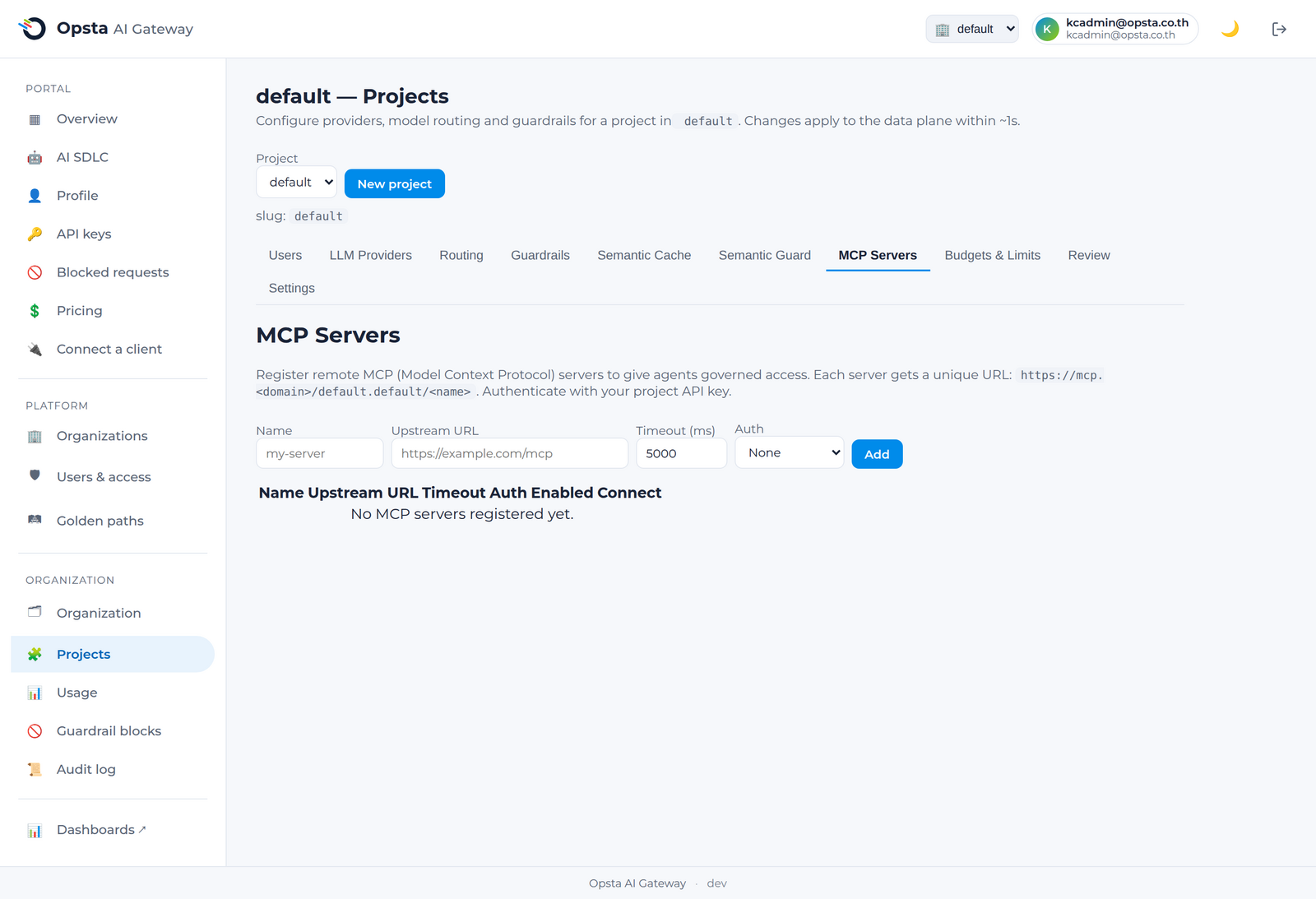
gateway สามารถช่วยให้ AI agent ของคุณเข้าถึงเครื่องมือภายใต้การควบคุมอย่างปลอดภัย ผ่านโปรโตคอล Model Context Protocol (MCP) โดยผู้ดูแลระบบจะลงทะเบียนเซิร์ฟเวอร์ MCP ที่ได้รับการอนุมัติให้ใช้งานสำหรับโปรเจกต์ของคุณ และคุณสามารถเชื่อมต่อไปยังเซิร์ฟเวอร์เหล่านั้นผ่าน gateway โดยใช้ API key เดียวกันกับที่คุณใช้สำหรับบริการแชท
สิ่งที่ต้องเตรียมความพร้อม
- ผู้ดูแลระบบได้ลงทะเบียนเซิร์ฟเวอร์ MCP ตั้งแต่หนึ่งเครื่องขึ้นไปสำหรับโปรเจกต์ของคุณแล้ว ดูข้อมูลเพิ่มเติมได้ที่ เซิร์ฟเวอร์ MCP สำหรับผู้ดูแลระบบ
- มี API key ประจำโปรเจกต์เรียบร้อยแล้ว (การจัดการ API key)
การเชื่อมต่อไปยังเซิร์ฟเวอร์ MCP ภายใต้การดูแล
เซิร์ฟเวอร์แต่ละเครื่องที่ลงทะเบียนไว้จะสามารถเข้าถึงได้ผ่าน URL ประจำโปรเจกต์ ดังนี้
https://mcp.<your-domain>/<organization>.<project>/<server-name>ตั้งค่า agent หรือ IDE ที่รองรับ MCP ของคุณให้ชี้ไปยัง URL ดังกล่าวในรูปแบบ Streamable HTTP จากนั้นยืนยันตัวตนด้วย API key ของโปรเจกต์คุณ ซึ่งเป็นคีย์เดียวกันกับที่ใช้ในการเชื่อมต่อแชท API โดย gateway จะทำการยืนยันสิทธิ์การเชื่อมต่อ บังคับใช้มาตรการความปลอดภัยเพื่อให้คุณสามารถเข้าถึงได้เฉพาะเซิร์ฟเวอร์ในโปรเจกต์ของคุณเท่านั้น และบันทึกกิจกรรมการใช้งานทั้งหมด
ใช้คีย์เดียวกันสำหรับทั้งบริการแชทและเครื่องมือ
คุณไม่จำเป็นต้องจัดการข้อมูลสิทธิ์การใช้งานแยกต่างหากสำหรับส่วนที่เป็นเครื่องมือ เนื่องจาก API key ของโปรเจกต์จะสามารถใช้งานได้ทั้งบริการ LLM chat API และเซิร์ฟเวอร์ MCP ประจำโปรเจกต์ของคุณ
สิ่งที่อยู่ภายใต้การกำกับดูแล
- การยืนยันตัวตน: ทุกการเชื่อมต่อจะได้รับการยืนยันตัวตนผ่านคีย์ของโปรเจกต์คุณ
- การแยกส่วนข้อมูล: คีย์จากโปรเจกต์อื่นจะไม่สามารถเข้าถึงเซิร์ฟเวอร์ MCP ของโปรเจกต์คุณได้ ซึ่งระบบจะส่งกลับสถานะ
403 - ความโปร่งใส: ทุกกิจกรรมการเรียกใช้งานเครื่องมือ (tool call) จะถูกบันทึกไว้ในระบบขององค์กรคุณ
ขั้นตอนต่อไป
- เชื่อมต่อฝั่งไคลเอนต์ — วิธีการนำคีย์ไปใช้งานจริงกับแชท API
- สำหรับผู้ดูแลระบบ สามารถลงทะเบียนเซิร์ฟเวอร์ได้ที่ เซิร์ฟเวอร์ MCP