

องค์กรและสมาชิก
องค์กร (Organization) คือขอบเขตการทำงานในระดับบนสุด ซึ่งออกแบบมาสำหรับลูกค้าระดับองค์กรรายหนึ่งให้มีความแยกส่วนเป็นเอกเทศอย่างสมบูรณ์ หน้านี้จะครอบคลุมถึงขั้นตอนการสร้างองค์กร การจัดการสมาชิกและบทบาทสิทธิ์การใช้งาน รวมถึงการจัดกลุ่มผู้ใช้งาน
ผู้ที่มีสิทธิ์ในการดำเนินการนี้
Platform admin สามารถสร้างองค์กรและแต่งตั้งผู้ดูแลระบบระดับองค์กร (org admin) ได้ ส่วน Org admin จะสามารถจัดการสมาชิก บทบาทสิทธิ์การใช้งาน และกลุ่มต่าง ๆ ภายในองค์กรของตนเอง
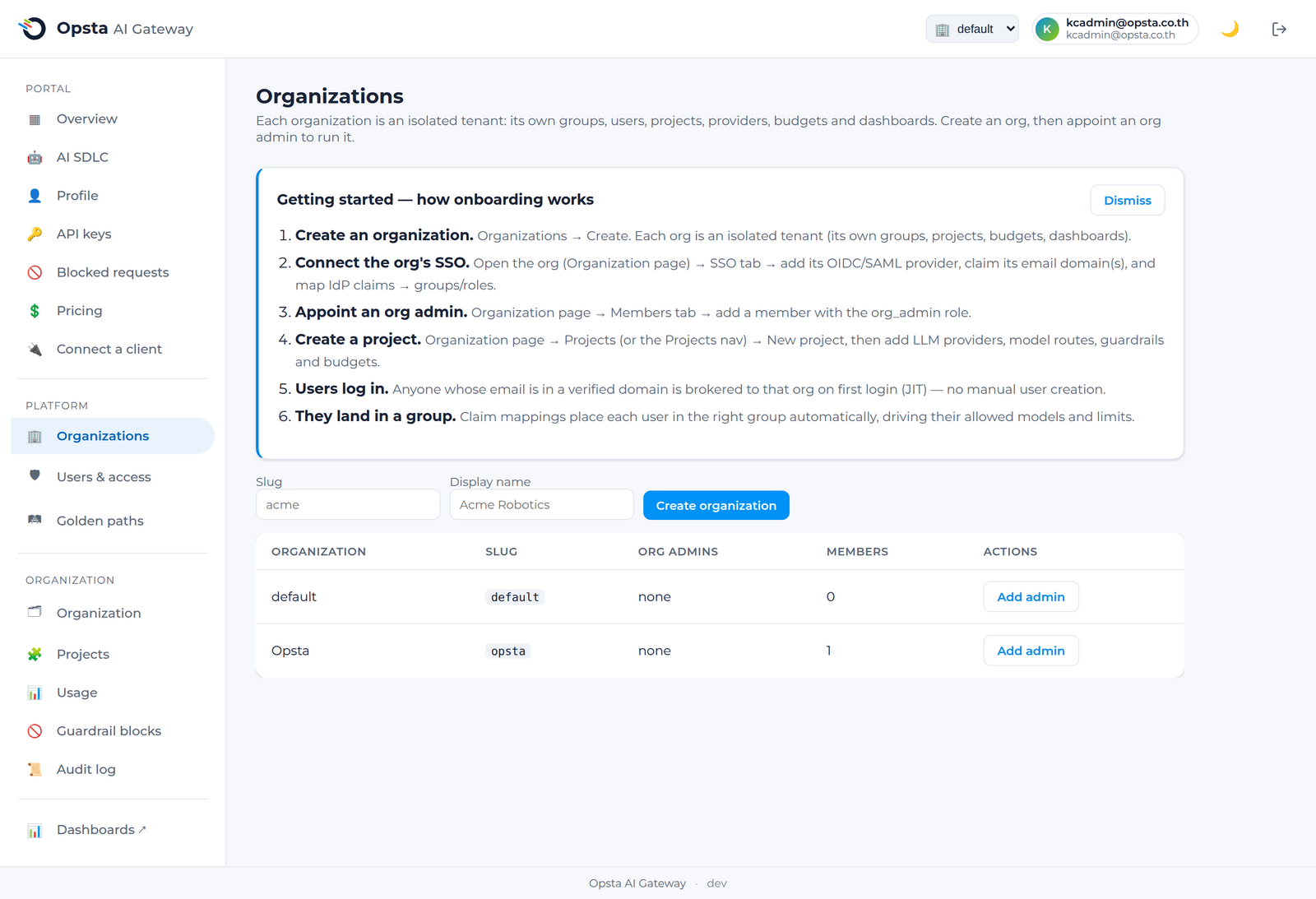
การสร้างองค์กร (สำหรับ Platform admin)
- เปิดหน้า Organizations ภายใต้ส่วน Platform
- คลิก Create organization จากนั้นกำหนดชื่อองค์กรและ slug
- ระบุผู้ดูแลระบบระดับองค์กร (org admin) ตั้งแต่หนึ่งคนขึ้นไปผ่านอีเมล โดยพวกเขาจะได้รับสิทธิ์การดูแลระบบตามขอบเขตขององค์กรนี้
การจัดการสมาชิก (สำหรับ Org admin)
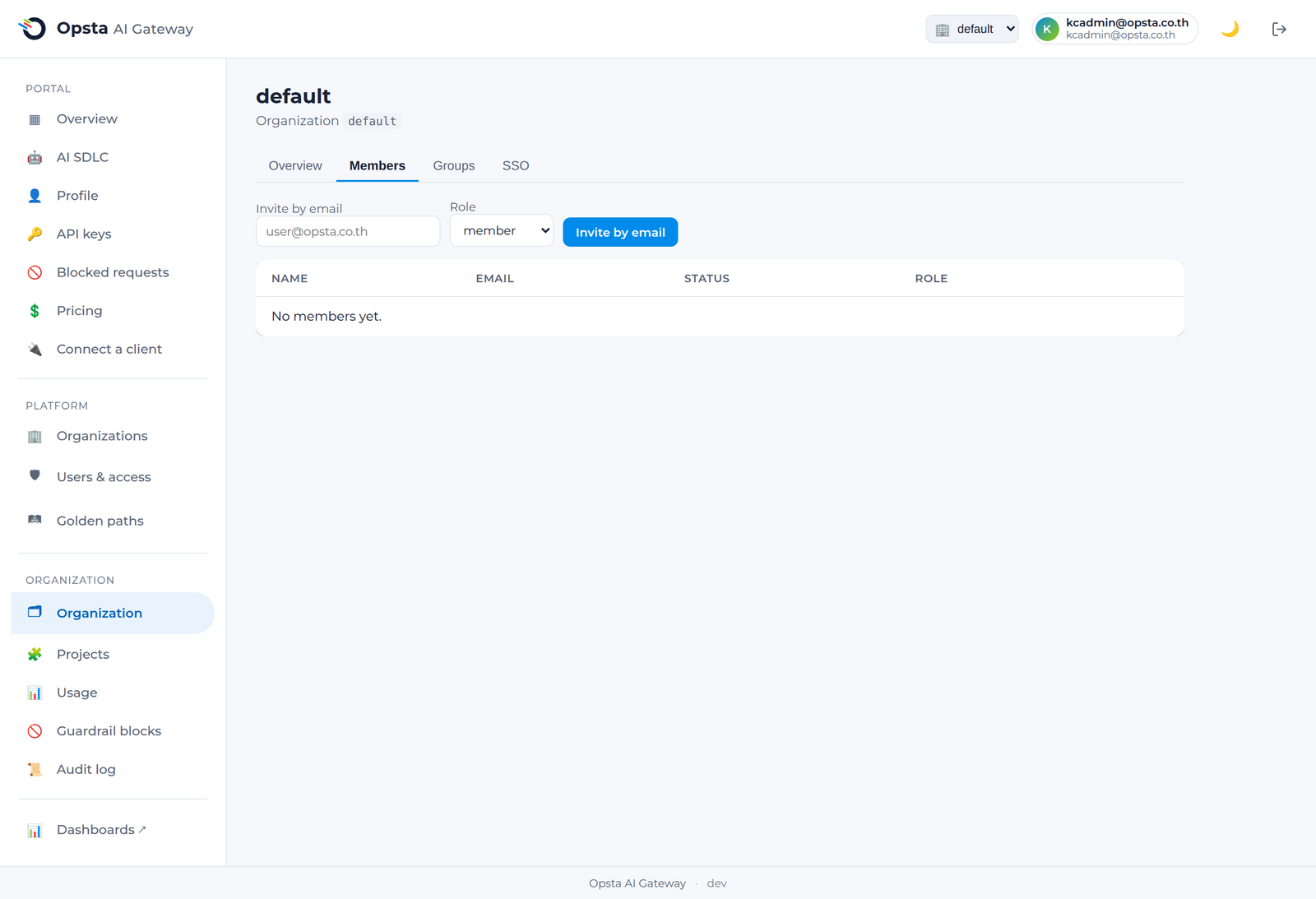
ที่หน้า Organization → Members คุณสามารถดำเนินการต่าง ๆ ได้ดังนี้
- เชิญ (Invite) สมาชิกผ่านอีเมล
- กำหนดบทบาท (Set a role) เป็น
memberหรือorg_admin(ทั้งนี้มีเพียง platform admin เท่านั้นที่จะสามารถมอบสิทธิ์org_adminได้) - ลบ (Remove) สมาชิกออก
สมาชิกแต่ละรายเป็นบัญชีตัวตนระดับโกลบอล ดังนั้นบุคคลหนึ่งคนสามารถเป็นสมาชิกขององค์กรมากกว่าหนึ่งแห่งได้ โดยจะแยกบทบาทหน้าที่เป็นอิสระในแต่ละองค์กร
บทบาทและสิทธิ์การเข้าใช้งาน
| บทบาท | ขอบเขตการทำงาน |
|---|---|
| Platform admin | ทุกองค์กร การกำหนดราคาโมเดล วิธีการเข้าสู่ระบบของแพลตฟอร์ม และบันทึกประวัติการใช้งานข้ามองค์กร |
| Org admin | องค์กรเดียว ได้แก่ สมาชิก โปรเจกต์ ผู้ให้บริการ งบประมาณ guardrail MCP และ IdP ขององค์กรนั้น ๆ |
| Member | พอร์ทัลส่วนตัว ได้แก่ จัดการคีย์ของตนเอง ดูปริมาณการใช้งาน และตรวจสอบคำร้องขอที่ถูกบล็อก |
กลุ่มผู้ใช้งาน (Groups)
ที่หน้า Organization → Groups คุณสามารถสร้างกลุ่มผู้ใช้งาน หรือทีมการทำงานที่จะแมปมาจากผู้ให้บริการระบุตัวตนของคุณ โดยกลุ่มเหล่านี้จะถูกนำไปใช้ในเรื่องการเข้าถึงโมเดลและการรวมงบประมาณเข้าด้วยกัน รวมถึงการมอบหมายให้ทำงานในแต่ละโปรเจกต์ เมื่อคุณเชื่อมต่อระบบผู้ให้บริการระบุตัวตน (SSO และ IdP) ผู้ใช้งานจะเข้ามาอยู่ในกลุ่มที่ถูกต้องโดยอัตโนมัติเมื่อลงชื่อเข้าใช้งานเป็นครั้งแรก
ขั้นตอนต่อไป
- โปรเจกต์ — กำหนดค่าสิ่งที่แต่ละทีมสามารถดำเนินการได้
- SSO และ IdP — เชื่อมต่อระบบลงชื่อเข้าใช้งานขององค์กรคุณ