

โปรเจกต์
โปรเจกต์ (Project) คือหน่วยงานย่อยที่เป็นเจ้าของโครงสร้างการจัดเส้นทาง (routing) ผู้ให้บริการ (provider) guardrail งบประมาณ และ API key โดยองค์กรสามารถมีโปรเจกต์ได้หลายโปรเจกต์ เช่น สร้างแยกเป็นรายผลิตภัณฑ์ ทีม หรือสภาพแวดล้อมการทำงาน
ผู้ที่มีสิทธิ์ในการดำเนินการนี้
Org admin (สิทธิ์เฉพาะในองค์กรของตนเอง) และ Platform admin
การสร้างและการจัดการโปรเจกต์
ที่หน้า Projects ให้ใช้เมนูดรอปดาวน์สำหรับสลับโปรเจกต์หรือสร้างโปรเจกต์ใหม่ โดยแต่ละโปรเจกต์จะสามารถปรับแต่งค่าผ่านหน้าจอแก้ไขในรูปแบบแท็บเมนู ดังนี้
| แท็บ | สิ่งที่ต้องกำหนดค่า | คู่มือ |
|---|---|---|
| Users | ข้อมูลผู้บริโภคระดับโปรเจกต์ (สิทธิ์เข้าใช้งานของทีม) และคีย์ต่าง ๆ | ด้านล่าง |
| LLM Providers | ข้อมูลรับรองการเข้าใช้งานผู้ให้บริการและการเชื่อมต่อ | ผู้ให้บริการ (Providers) |
| Routing | โมเดลเชิงตรรกะ → ผู้ให้บริการ → โมเดลต้นทาง | การจัดเส้นทาง (Routing) |
| Guardrails | กฎการตรวจจับข้อมูล PII และ prompt-injection | ระบบป้องกัน (Guardrails) |
| Semantic Cache | ระบบแคชจากความคล้ายคลึงของเวกเตอร์ | ระบบแคชตามความหมาย (Semantic cache) |
| Semantic Guard | ระบบบล็อก prompt injection โดยอิงตามการฝังข้อมูล (embedding) | ระบบตรวจสอบคำสั่งที่ไม่ปลอดภัย (Semantic guard) |
| MCP Servers | เซิร์ฟเวอร์ MCP ระยะไกลภายใต้การกำกับดูแล | เซิร์ฟเวอร์ MCP (MCP servers) |
| Budgets & Limits | เพดานงบประมาณรายผู้บริโภคหรือรายกลุ่ม | งบประมาณและขีดจำกัด |
| Review | หน้าจอแสดงผลค่ากำหนดปัจจุบันที่ผ่านการรวมค่าแล้ว | ด้านล่าง |
| Settings | เปลี่ยนชื่อ อธิบายรายละเอียด หรือลบโปรเจกต์ | ด้านล่าง |
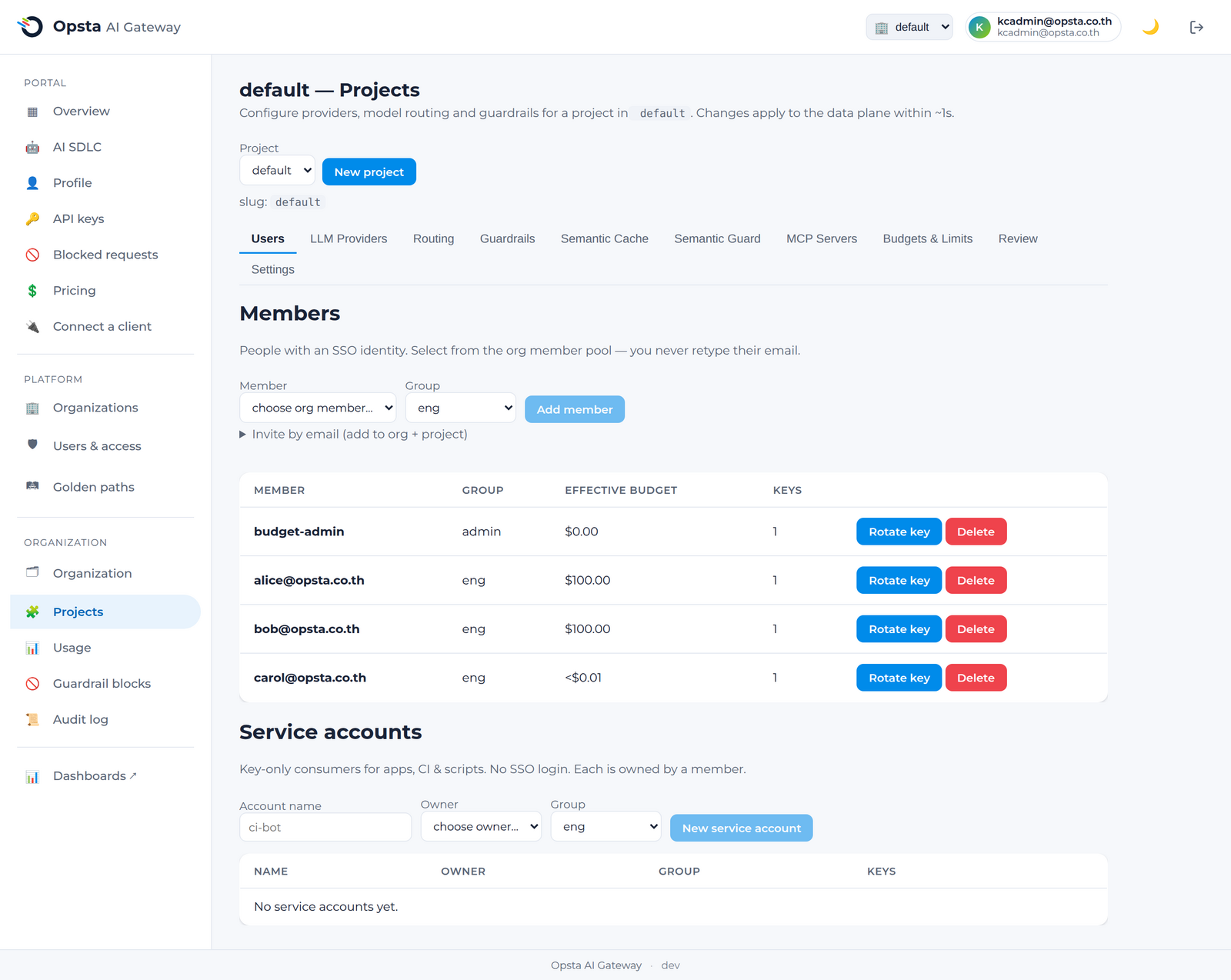
การตรวจสอบสถานะการทำงานปัจจุบัน
แท็บ Review จะแสดงค่ากำหนดที่มีผลบังคับใช้จริงบน gateway ได้แก่ เส้นทางที่รวมสิทธิ์แล้ว guardrail และขีดจำกัดต่าง ๆ เพื่อให้คุณสามารถตรวจสอบความถูกต้องของระบบก่อนที่ฝั่งไคลเอนต์จะเริ่มต้นเรียกใช้งานจริง
การตั้งค่าโปรเจกต์
แท็บ Settings ใช้สำหรับเปลี่ยนชื่อ อธิบายรายละเอียด หรือลบโปรเจกต์
การลบโปรเจกต์
การลบโปรเจกต์จะทำให้โครงสร้างค่ากำหนดและคีย์ทั้งหมดถูกลบออก ส่งผลให้ API key ของฝั่งไคลเอนต์ที่เคยใช้งานกับโปรเจกต์ดังกล่าวใช้งานไม่ได้อีกต่อไป
ขั้นตอนต่อไป
เริ่มต้นใช้งานที่คู่มือ ผู้ให้บริการ (Providers) จากนั้นไปยัง การจัดเส้นทาง (Routing)