

AI Agents — trusted agent identity
As teams adopt autonomous AI agents, each agent calls models and tools on its own — and without an identity of its own, it's just "some API key." The Agents view makes every agent a first-class, governed principal: registered, owned, scoped, attributed, and revocable. Each agent gets its own verifiable credential that flows through every LLM and MCP/tool call, so spend, access, and audit attribute to the agent — not a shared key.
Who can do this
Org admins (their own organization) and platform admins, under a project's Agents tab.
Register an agent
- Open a project, go to the Agents tab.
- Give the agent a name, pick a group (which governs the models it may call), a risk tier (low / medium / high), optionally who it acts for (the person or system it represents) and a description.
- Register agent — the API key is shown once. Hand it to the agent's runtime; it authenticates exactly like any OpenAI-compatible client.
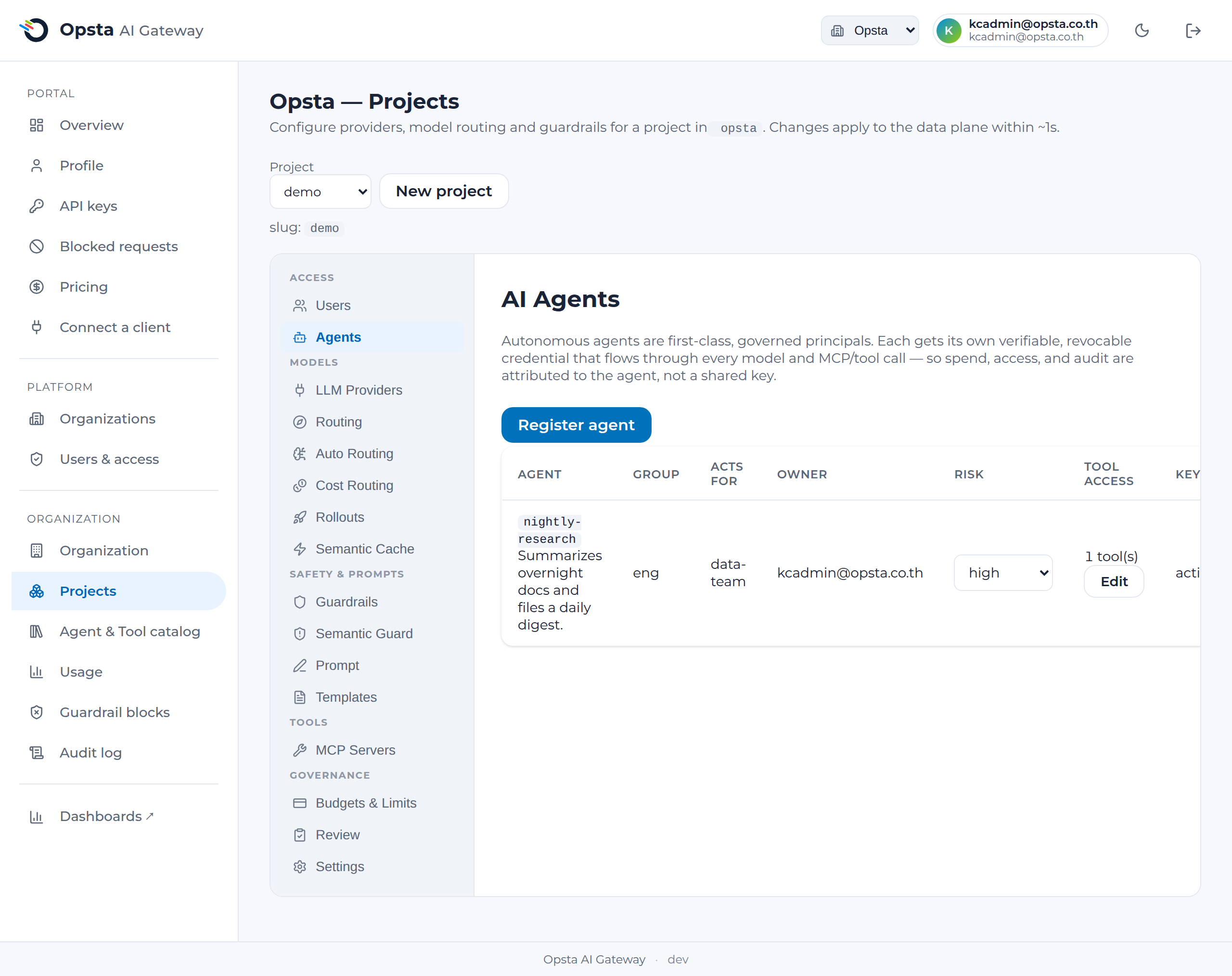
An agent is governed like any principal — because it is one
Under the hood an agent is a first-class consumer (kind=agent). That means everything you already use applies to agents with no new machinery: per-agent budgets & limits, model allow-lists, guardrails, MCP tenant isolation, the kill-switch, and the audit log. Its usage is attributed to the agent on the FinOps chargeback (each line is labeled by kind), so you can see and bill spend per agent.
Govern & stop an agent
- Scope — the agent's group sets which models it may call; set a per-agent USD/token budget on Budgets & limits.
- Risk tier — record each agent's risk (low / medium / high) for review and reporting; edit it inline.
- Rotate / revoke — rotate the agent's key, or Delete the agent to instantly revoke its credential at the gateway (it can no longer authenticate) — your emergency stop for a single agent.
Restrict which tools an agent can call
By default an agent may call any tool (MCP server) in its project. For an agent that should only touch a subset, set a tool allow-list — the gateway then blocks every other tool.
- On the Agents tab, find the agent and open its Tool access editor (Edit).
- Tick the tools the agent is allowed to call, then Save tool access.
- The agent can now reach only the selected tools; any other tool call is denied at the gateway (
403, before it ever reaches the tool). Calls to LLMs are unaffected.
Opt-in, default-allow. With no tools selected, the agent keeps the default — it may call any tool in its project. Selecting one or more switches that agent to deny-by-default for everything else, so turning this on never breaks agents you haven't scoped. Clear the selection to return to default-allow. Enforcement is per-agent and applies to your registered MCP tools (server-level).
Why not agent-issued JWT/SPIFFE?
Agent identity here is a governance capability, not an agent runtime. The agent's credential is a verifiable, revocable, attributed principal carried through every call — which is what you need to attribute, scope, audit, and stop agents — without the gateway becoming a token-signing authority. If you later need cryptographic agent-to-agent / mesh interop, the gateway can verify an externally-issued agent JWT and map it to the same registered agent.
Next steps
- Budgets & limits — set per-agent spend caps.
- FinOps — per-agent cost attribution on the chargeback.
- MCP servers — govern the tools your agents call.
- AI kill-switch — halt a whole project/org in one click.