

Object store
The platform runs its own S3-compatible object store — SeaweedFS — entirely inside your cluster. It's where backups land (and, in HA installs, where observability data can be kept), so nothing has to leave your environment for durable storage. A built-in web Admin UI lets you browse and operate that store without the weed CLI.
Who can see this
The object-store Admin UI is a platform-operator console. It has its own local sign-in (a dedicated admin account set by the platform operator), separate from the console's Keycloak SSO — so you can still reach it to diagnose storage even if identity is down.
Where it lives
The Admin UI is exposed at https://seaweedfs.<your-domain> (e.g. seaweedfs.ai-gateway.example.com). An HTTP request redirects to HTTPS automatically. Sign in with the object-store admin credentials from your platform secret.
What you can do
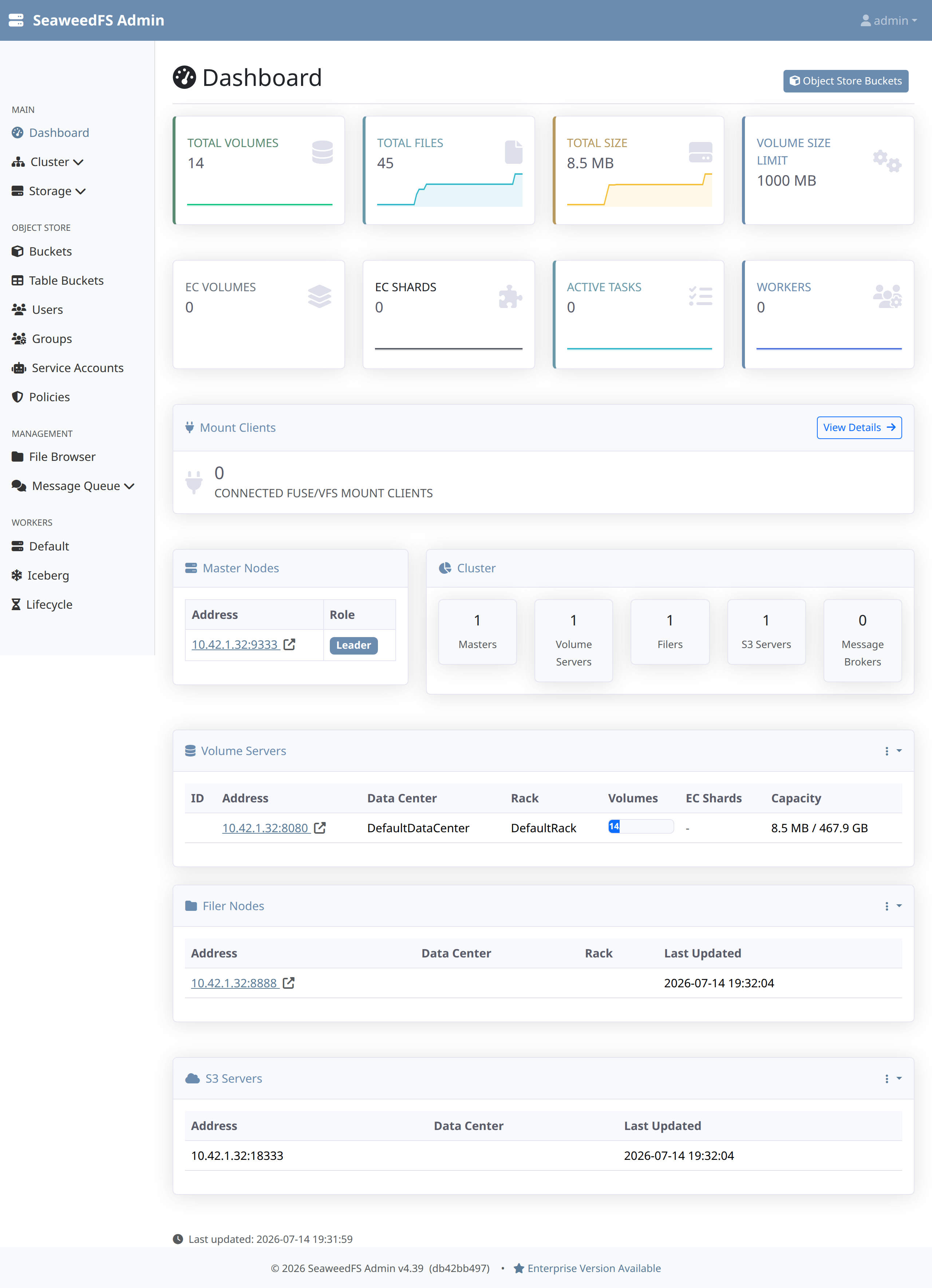
- See the cluster at a glance. Total volumes, files, and size; erasure-coding shards; active tasks and workers; and the live topology — master nodes (with the current leader), volume servers, filers, and S3 servers.
- Manage the object store. Browse buckets and their contents in the file browser, and manage object-store users, groups, policies, and service accounts — the access model for anything that reads or writes S3 objects.
- Operate storage. Inspect volume servers and capacity, and review lifecycle and maintenance workers — the same operations available from the
weedCLI, in a GUI.
How it's used
Backups (see Backup & disaster recovery) write to a bucket in this store, so it is a self-hosted alternative to a cloud object store — no S3/GCS account, no egress. It's provisioned and pinned as part of the platform's tested component matrix; you don't install or wire it up yourself.
Next steps
- Backup & disaster recovery — what writes to the object store, and how to restore.
- Observability — telemetry storage (HA installs can keep it here).
- Secrets backend — the other self-hosted platform service, with SSO login.