

Providers
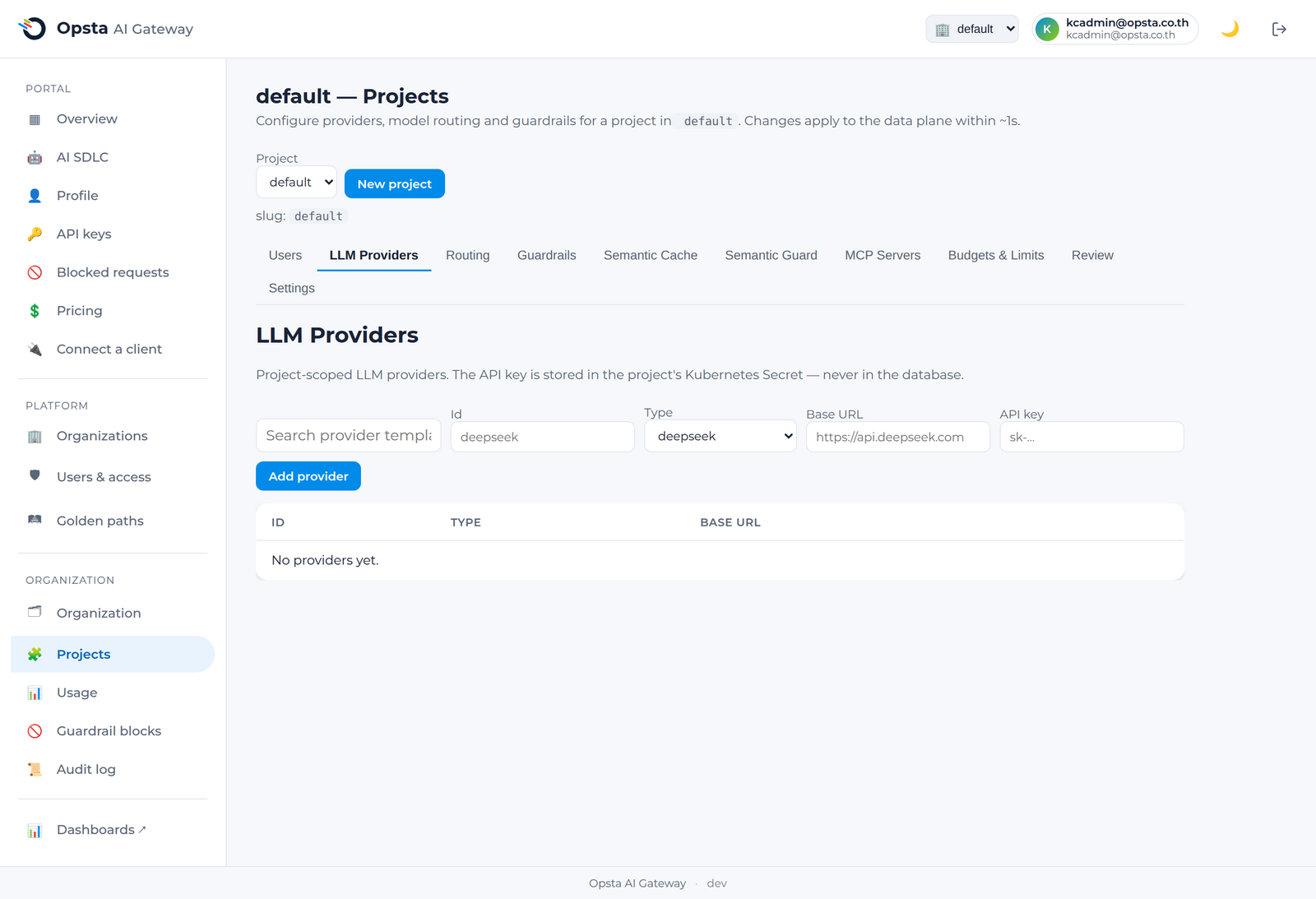
A provider is an upstream AI service you connect to a project. The gateway supports OpenAI-compatible endpoints (DeepSeek, OpenAI, Fireworks, self-hosted vLLM, …) and native non-OpenAI providers — AWS Bedrock, Google Vertex, Anthropic (Claude), and Google Gemini — which the gateway reaches via automatic protocol translation (your apps keep speaking the OpenAI chat API; the gateway converts to each provider's native API). Provider credentials are stored as per-organization secrets — never in plaintext config and never exposed back through the API.
Who can do this
Org admins (for their organization) and platform admins, on Projects → LLM Providers.
Add a provider
- Open Projects, select the project, and go to the LLM Providers tab.
- Click + Add provider. A dialog opens with a gallery of provider templates — DeepSeek, OpenAI, Anthropic, Fireworks, Together, Groq, Self-hosted/vLLM, or Custom. Click a template to prefill the id, type, and base URL (every field stays editable), or pick Custom to start from scratch. Then complete the type:
- OpenAI-compatible / DeepSeek / generic — enter the base URL and API key.
- Native — Bedrock, Vertex, Claude, or Gemini — enter that provider's own credentials (no base URL needed; the gateway knows the endpoints):
- Bedrock: AWS access key ID + secret access key + region.
- Vertex: service-account JSON key + GCP project ID + region + auth service name.
- Claude / Gemini: API key(s) — comma-separate several to enable key failover.
- Save. The provider is now available to routing.
- Back on the tab, click Test on the provider's row to verify the connection — you'll get a clear ✓ Connection OK or a readable reason if it fails.
Credentials are secrets
Provider credentials are written to a per-organization Kubernetes Secret by the control plane. They are never returned in any API response and never leave your cluster.
Resilience (native providers)
Native providers expose an optional Resilience section so a provider outage doesn't take your agents down:
- Failover — configure multiple API keys (comma-separated) and the gateway rotates off a failing key, health-checks it, and restores it when healthy. Set a failure threshold and a health-check model.
- Retry on failure — automatically retry a failed (non-streaming) request up to max retries.
Manage providers
The Providers tab lists the project's providers. You can test a provider's connection again at any time or delete one (after removing routes that point to it).
Next steps
Routing — map logical models to this provider.