

MCP servers
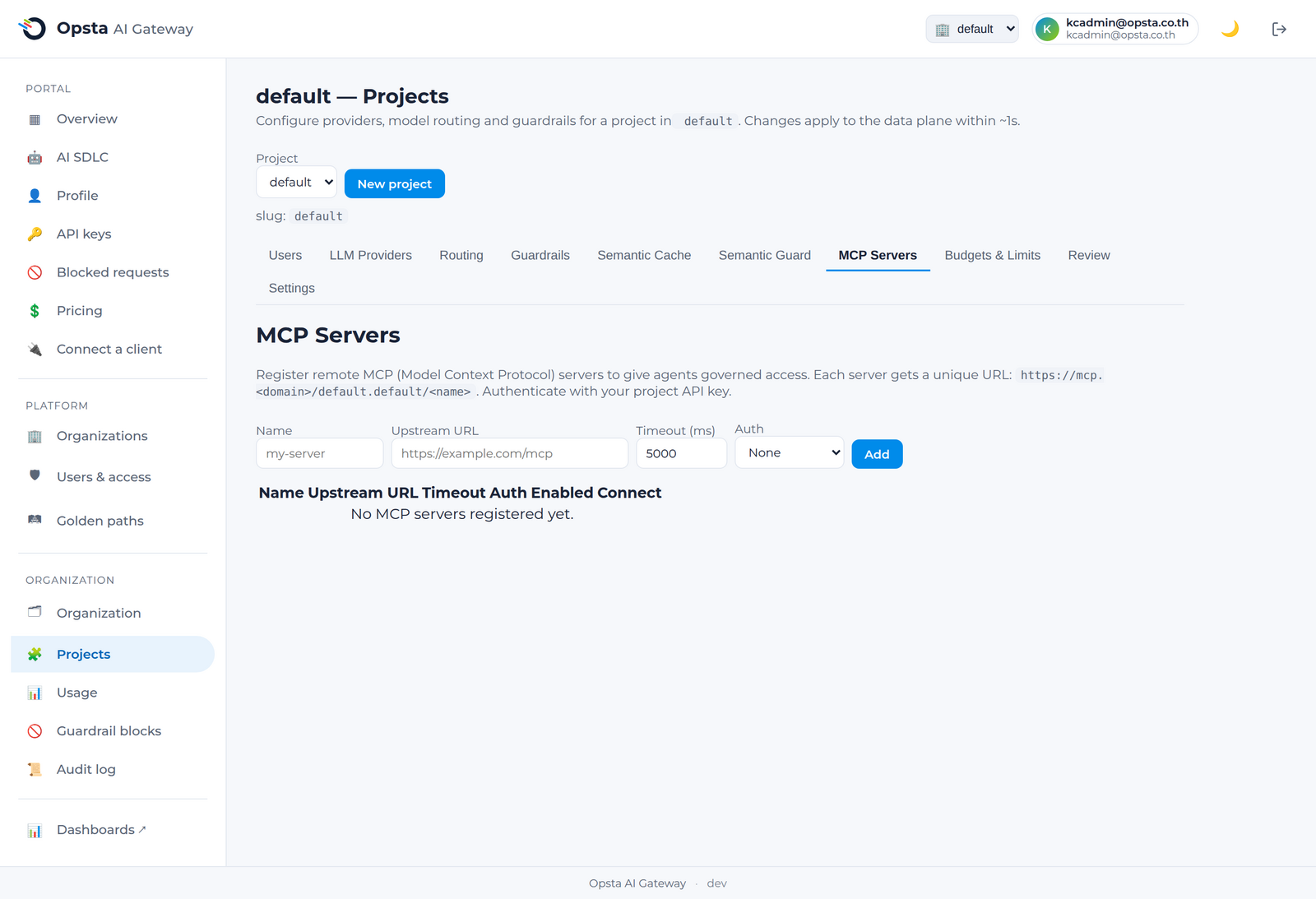
The MCP gateway lets you give AI agents governed access to tools. You register remote Model Context Protocol (MCP) servers per project; the gateway then fronts them with the same identity, isolation, and audit you use for LLM traffic.
Who can do this
Org admins (for their organization) and platform admins, on Projects → MCP Servers.
How a governed MCP request flows
A request must carry a valid project API key (key-auth) and may only reach its own project's path (tenant guard) — a key from another project gets 403.
Register a server
On Projects → MCP Servers → Add server, pick a Source:
Remote MCP server (proxy)
Front a backend that already speaks MCP.
- Enter a name, the backend MCP server URL, the transport the backend speaks — Streamable HTTP (the default) or SSE — a timeout, and (if the backend needs one) an upstream credential.
- Toggle enabled and save. The control plane provisions the route and isolation rules.
- Share the generated connect URL with your developers:
https://mcp.<your-domain>/<organization>.<project>/<server-name>.
REST API (OpenAPI) — turn an existing API into a governed MCP server
Give agents your existing REST API as tools, with no code — each OpenAPI operation becomes an MCP tool.
- Choose Source → REST API (OpenAPI) and enter a name.
- Paste the API's OpenAPI/Swagger spec (JSON or YAML) and click Discover tools.
- Pick which operations agents may call — the checklist is the access policy; unticked operations are not exposed at all.
- Set the upstream auth the API needs (Bearer / API-key header + credential) if any, then save. The base URL is taken from the spec's
servers. Share the same connect URL as above.
What's governed
- Access — agents authenticate with the project API key (one key for chat and tools).
- Isolation — strict per-project: a key cannot reach another project's servers.
- Proxying — tool calls are proxied through the gateway to your backend server (or your REST API, for an OpenAPI source): a
tools/listortools/callreaches the upstream and returns its real result, governed end-to-end. - Tool selection — for an OpenAPI source, only the operations you ticked are exposed as tools.
- Activity — tool-call activity is recorded per organization.
Scope
This covers governed access, proxying, a catalog, OpenAPI→MCP auto-generation, and per-operation tool selection. Per-tool budgets/guardrails are a future capability.
Next steps
Developers connect to these servers via Use MCP servers.