

FinOps — chargeback & forecast
The FinOps view turns the gateway's usage into money: an authoritative, exportable cost statement per tenant for a billing month, and a budget forecast that projects where this month's spend will land. Unlike cost-visibility tools, the gateway both enforces your budgets and bills from the same numbers — chargeback can never disagree with what actually capped spend.
Who can do this
Org admins (their own organization) and platform admins (any org), under Usage → FinOps.
Realized savings
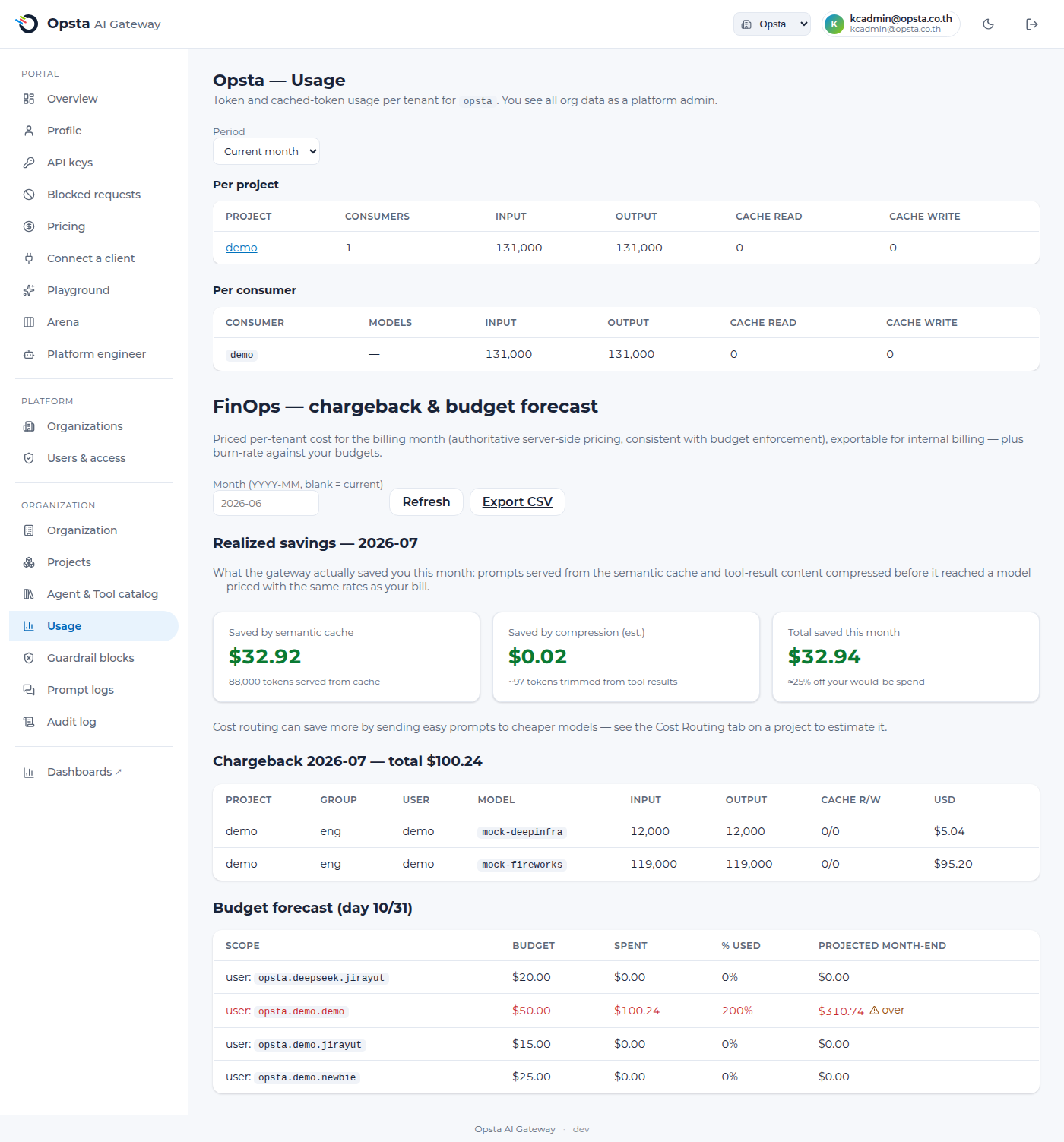
Alongside what you spent, the FinOps view shows what the gateway saved you this month — real money it avoided, priced with the same rates as your bill:
- Saved by semantic cache — prompts answered from the semantic cache instead of re-billing a model, priced per model.
- Saved by compression (est.) — verbose
tool_resultcontent trimmed by tool-result compression before it reached a model. Because compression isn't tied to a single model, this is priced at a blended input rate and shown as an estimate. - Total saved this month, with ≈X% off your would-be spend — what you'd have paid without these optimizations versus what you actually paid.
Prove it, don't claim it
This is a live figure from your own traffic, not a marketing number. Turn on semantic caching and compression to grow it, and use cost routing to estimate further savings from routing easy prompts to cheaper models.
Only realized savings are summed
Cache models with no configured price are listed and excluded from the $ total (set a rate on Pricing). Cost routing is shown as a projected estimate on each project's Cost Routing tab — it isn't added to this realized total.
Chargeback statement
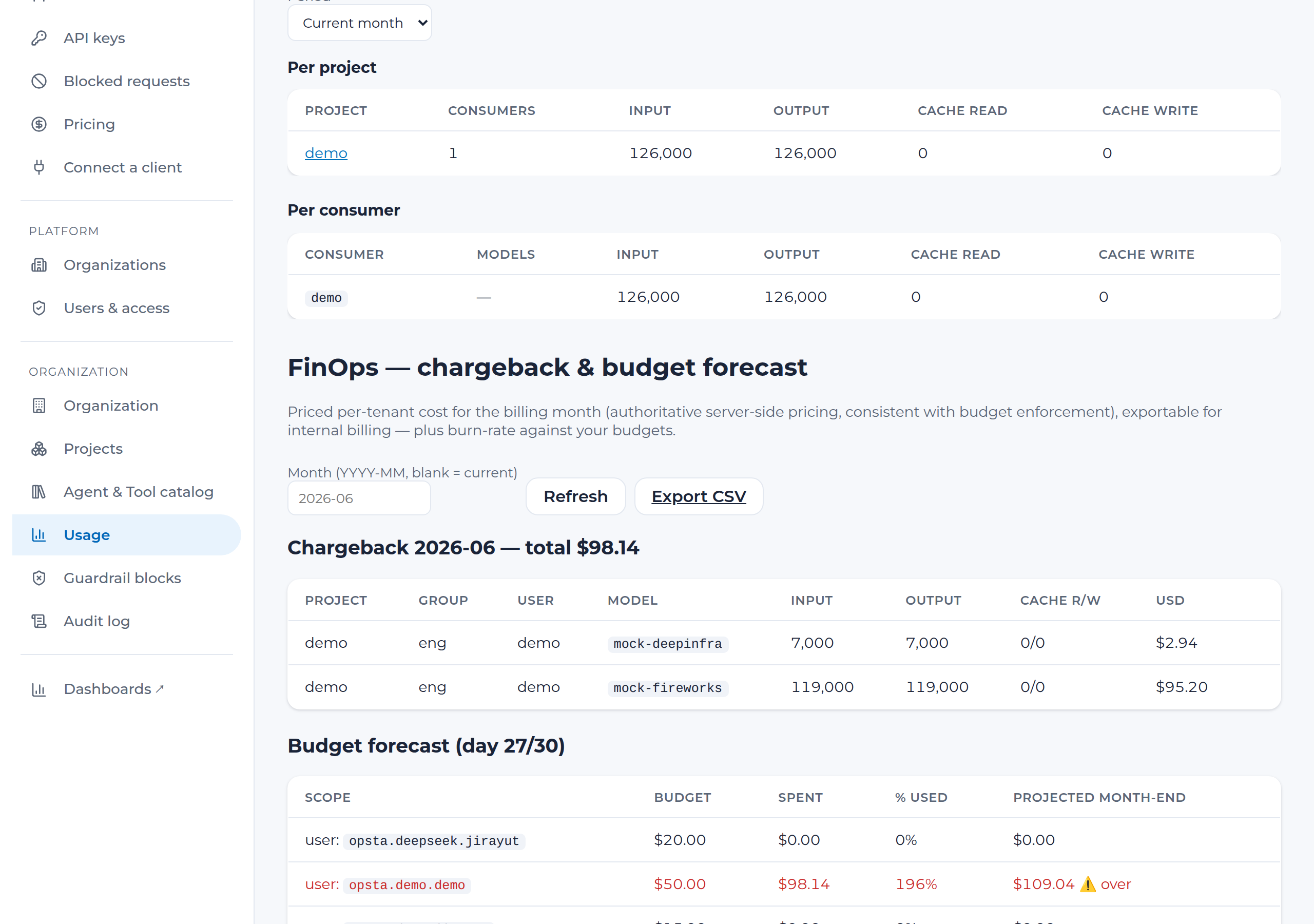
For a chosen month, the statement breaks spend down by project → group → user → model, priced server-side from the same rates the budget controller enforces with. Each line shows input/output and cached tokens and the USD cost.
- Open Usage, pick the organization, scroll to FinOps.
- Choose a month (blank = current) and Refresh.
- Click Export CSV to download the statement for your finance system.
Usage is always attributed, never silently $0
Every line shows how it was priced (pricedVia): its own model price, the default fallback rate, or — if you've configured no default — flagged as unpriced and listed, rather than silently billed as $0. Either way you can set a model-specific rate on the Pricing tab and re-run. The CSV is safe to open in any spreadsheet (formula-injection is neutralized).
Budget forecast
For every USD budget you've set (project or user), the forecast shows spend-to-date, % of budget consumed, and a projected month-end total (a linear run-rate from the month so far). Scopes projected to exceed their budget are flagged, so you can act before the cap is hit rather than after traffic is already being refused.
Budgets themselves are configured on Budgets & limits; this view reports against them.
Next steps
- Budgets & limits — set the caps this view forecasts against.
- Pricing — set per-model prices that drive chargeback.
- Observability — token/latency dashboards.