

Audit log
The audit log records every mutating administrative action — including denied attempts — so you have a complete, filterable trail of who changed what, and when.
Who can see this
Org admins see their organization's audit trail. Platform admins see every organization, with an org filter.
What's recorded
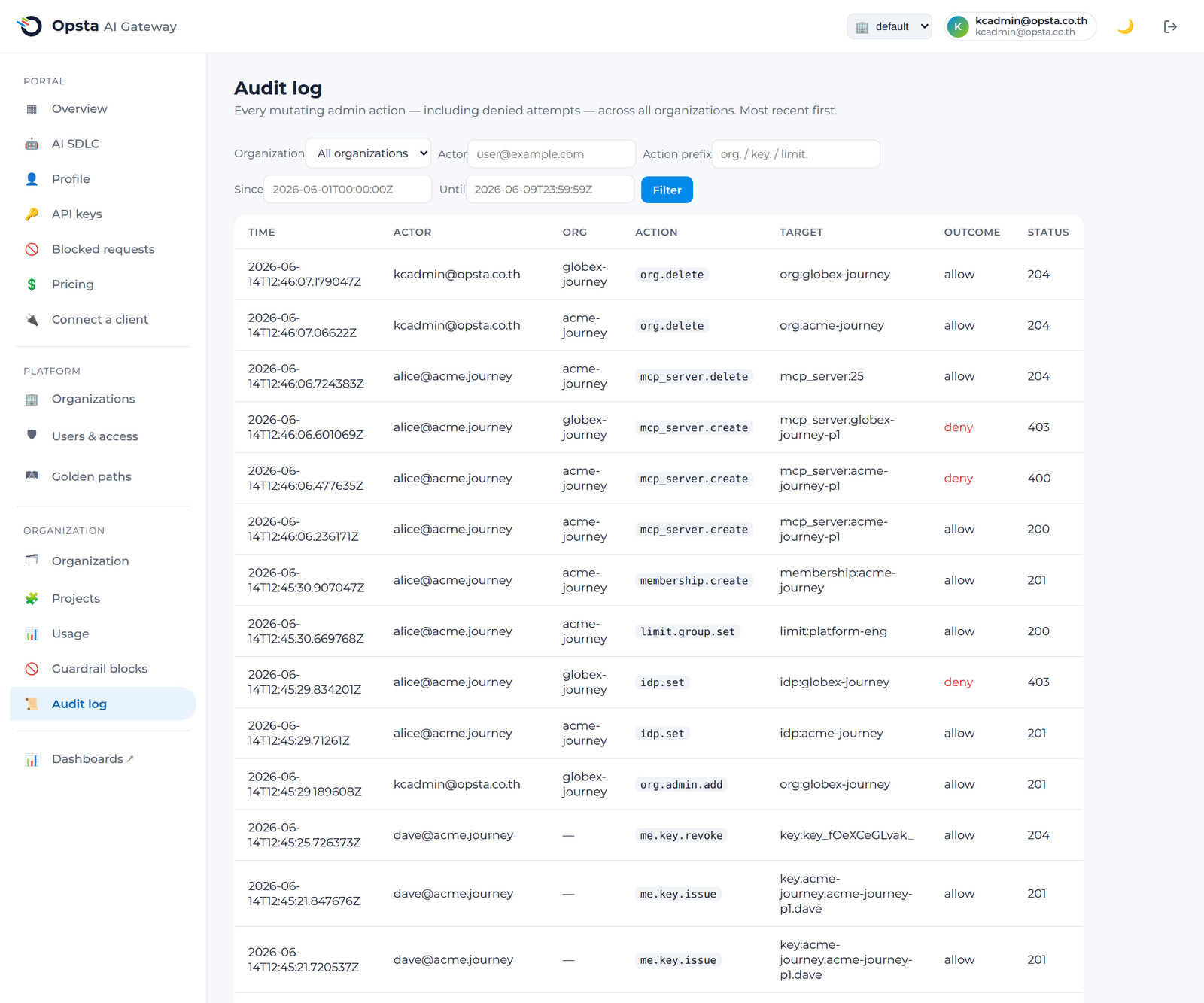
Each entry captures the actor (email and groups), the organization, the action (e.g. provider.create, key.revoke, org.delete), the target, the outcome (allowed or denied), and the HTTP status. Denied attempts are recorded too — useful for spotting unauthorized activity.
Filter and read
- Open Audit log (Organization section; platform admins can add an org filter).
- Filter by actor (email), action prefix (e.g.
org.,key.,limit.), and date range. - Page through results.
Retention
The platform operator sets how long audit entries are kept — see Audit & compliance.
Next steps
- RBAC model — the roles whose actions are audited.
- Audit & compliance — retention and compliance use.