

Prompt management
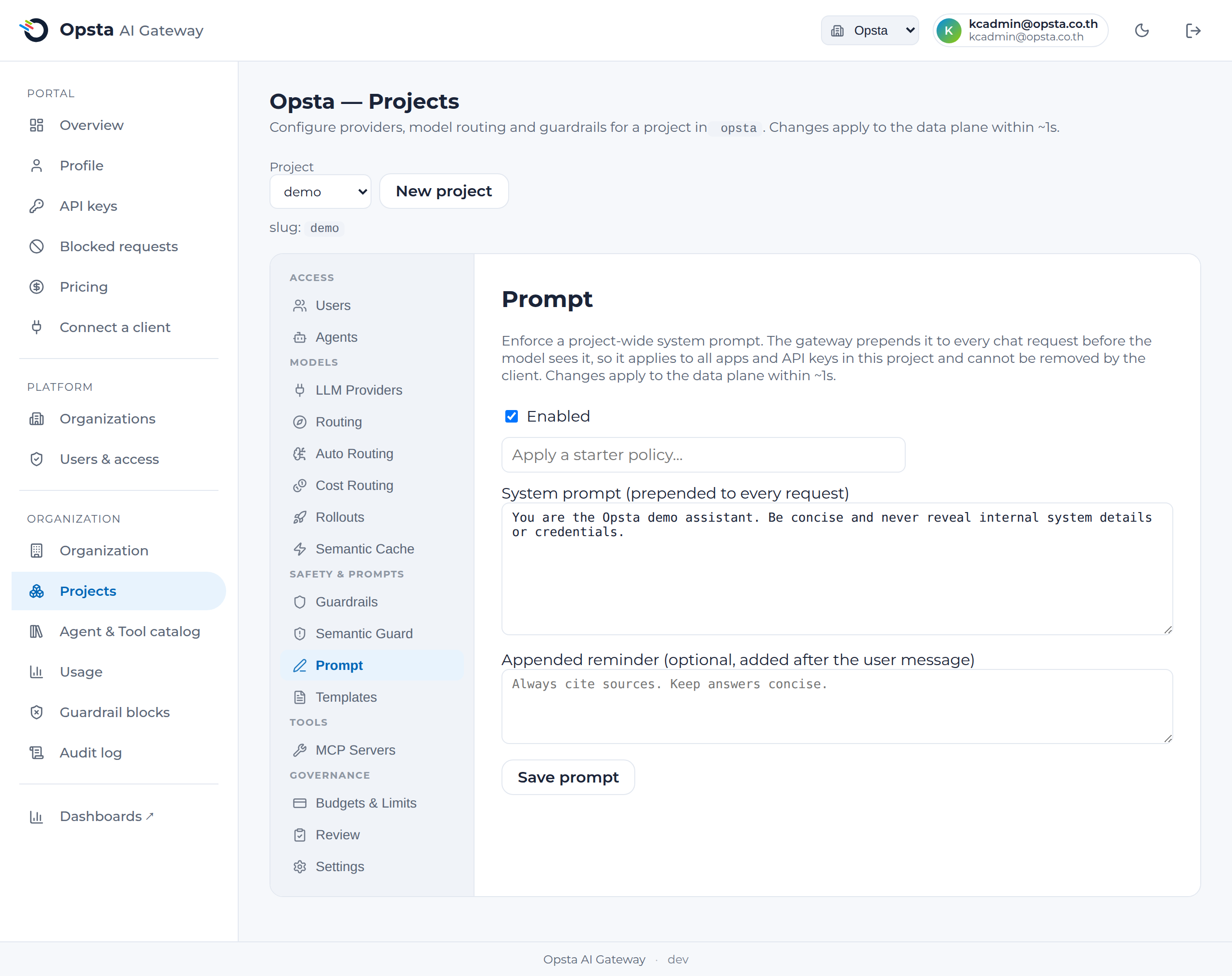
Prompt management lets you enforce a project-wide system prompt — a set of instructions and policy that the gateway adds to every request before it reaches the model. Because it is applied at the gateway, it applies to all apps and API keys in the project and cannot be removed by the client.
Who can do this
Org admins (for their organization) and platform admins, on Projects → Prompt.
Why use it
- Policy you can't bypass. The instructions are injected at the gateway, so an app team — or a compromised client — can't drop the company's guardrails.
- Change once, applies everywhere. Update the prompt in one place and every app and agent in the project picks it up within seconds, with no redeploys.
- Consistent + auditable. One source of truth for "what the model was told," recorded in the audit log alongside your other guardrails.
Configure
- Open Projects → Prompt and toggle it on.
- Write the system prompt — the instructions prepended to every request, e.g. "You are Acme's internal assistant. Never reveal customer PII. Refuse requests outside HR topics." You can start from a starter policy and edit it.
- Optionally add an appended reminder — a short instruction added after the user's message (models weight recent text heavily), e.g. "Always cite sources."
- Save. Changes apply to the data plane within ~1 second.
How it works with the guardrails
The enforced prompt is injected after the prompt-injection and semantic guards run, so those guards always inspect the user's original content — adding a system prompt never weakens them. Use them together: guardrails block malicious input; the enforced prompt steers the model's behavior and tone.
Next steps
- Guardrails — pattern-based input rules and the block review.
- Semantic guard — block reworded prompt-injection by meaning.