

Prompt templates
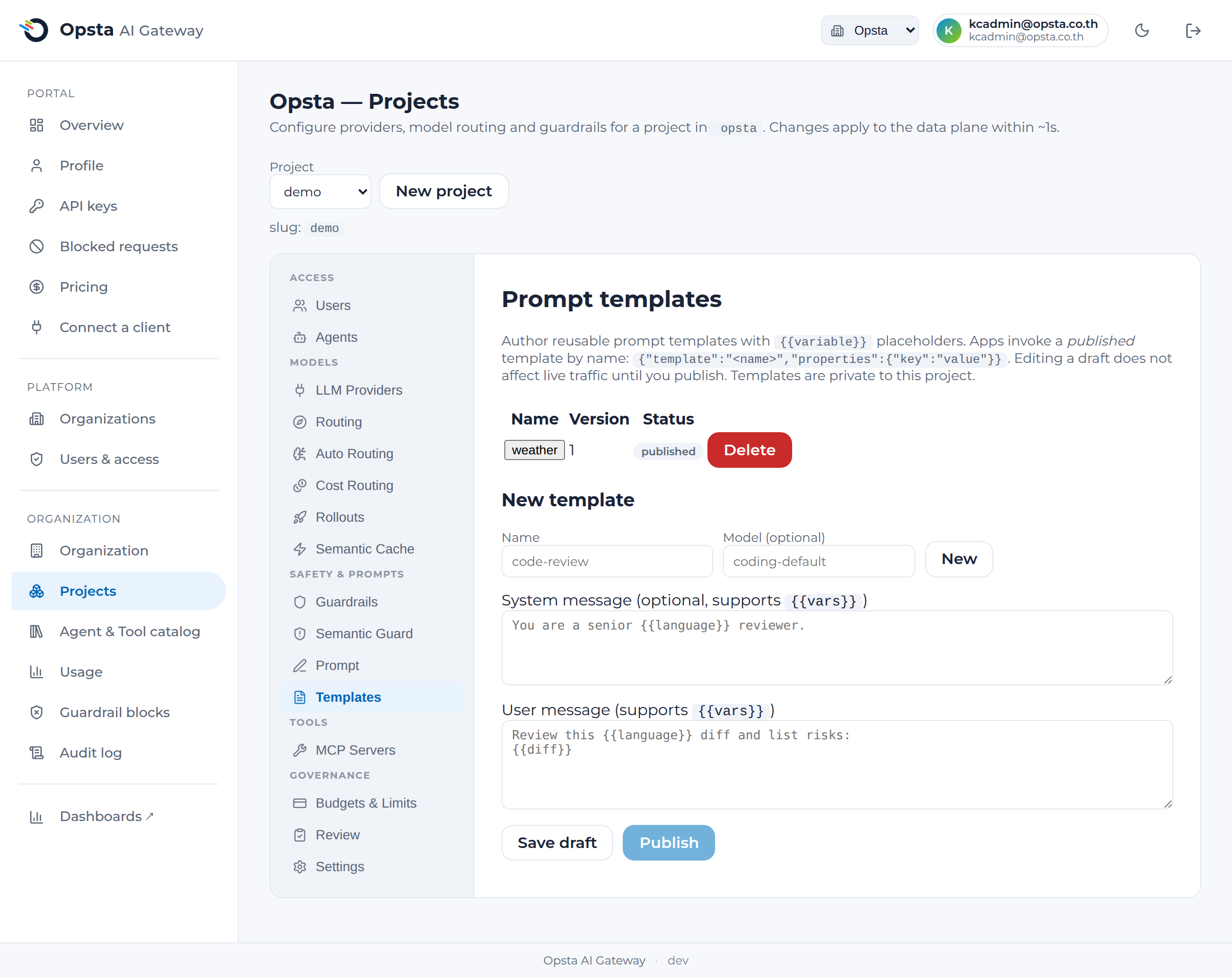
A prompt template is a named, reusable prompt with placeholders that apps invoke by name instead of hard-coding prompt text. You author and version templates centrally; apps call a published template and pass values for its variables. Templates are private to the project.
Who can do this
Org admins (for their organization) and platform admins, on Projects → Templates.
Why use them
- Prompt engineering as a shared, governed asset — author a good prompt once; every app uses it.
- Change without redeploying apps — edit and re-publish; callers pick up the new version.
- Draft vs published — edit a draft freely; live traffic only changes when you Publish.
- Versioned + audited — each publish bumps the version and is recorded in the audit log.
Author a template
- Open Projects → Templates and pick a template or enter a new name (lower-case letters, digits,
-,_). - Optionally set a model (a logical model from your routing, e.g.
coding-default). - Write the system and/or user message, using
where values should be filled in — e.g. "Review this diff and list risks:\n". - Save draft (does not affect live traffic), then Publish when ready.
Invoke a template
Apps call the normal chat-completions endpoint but send the template name and its variables instead of a messages array:
curl https://<your-gateway>/v1/chat/completions \
  -H "Authorization: Bearer $OPSTA_API_KEY" \
  -H "Content-Type: application/json" \
  -d '{"template":"code-review","properties":{"language":"Go","diff":"..."}}'
The gateway renders the published template (substituting each from properties) into a full request and forwards it to the model. Variables left unfilled stay as literal text. Invoking a template that isn't published for your project returns 404.
Templates vs the enforced prompt
- A template is opt-in per request — the app chooses to invoke it by name.
- The enforced prompt is applied to every request automatically.
They compose: a template builds the request, then the enforced project prompt and guardrails still apply.
Next steps
- Prompt management — the enforced, always-on project prompt.
- Routing — the logical models a template's
modelcan target.