

Automated model routing
Auto routing lets a client send the special model auto and have the gateway pick the real model from the prompt. You define named routes — each a model plus a few example prompts — and an incoming prompt is matched to the nearest route by meaning. Clients stop hard-coding a model, and casual traffic stops paying premium rates.
Who can do this
Org admins (for their organization) and platform admins, on Projects → Auto Routing. Requires the semantic add-on (the gateway's embedding service) to be deployed; default off per project.
How it works
When a request arrives as {"model":"auto", …}, the gateway:
- Embeds the prompt (the same in-cluster embedding model used by semantic cache/guard).
- Finds the nearest route among your example prompts (vector similarity, tenant-isolated — a route only ever matches within its own project).
- If the best match clears the confidence threshold, it rewrites the body
modelto that route's model; otherwise it uses the fallback model. - Everything downstream — provider routing, the model allow-list, budgets, metering — then runs on the chosen model, exactly as if the client had asked for it directly.
Any model other than auto passes through untouched, so turning this on never affects existing clients.
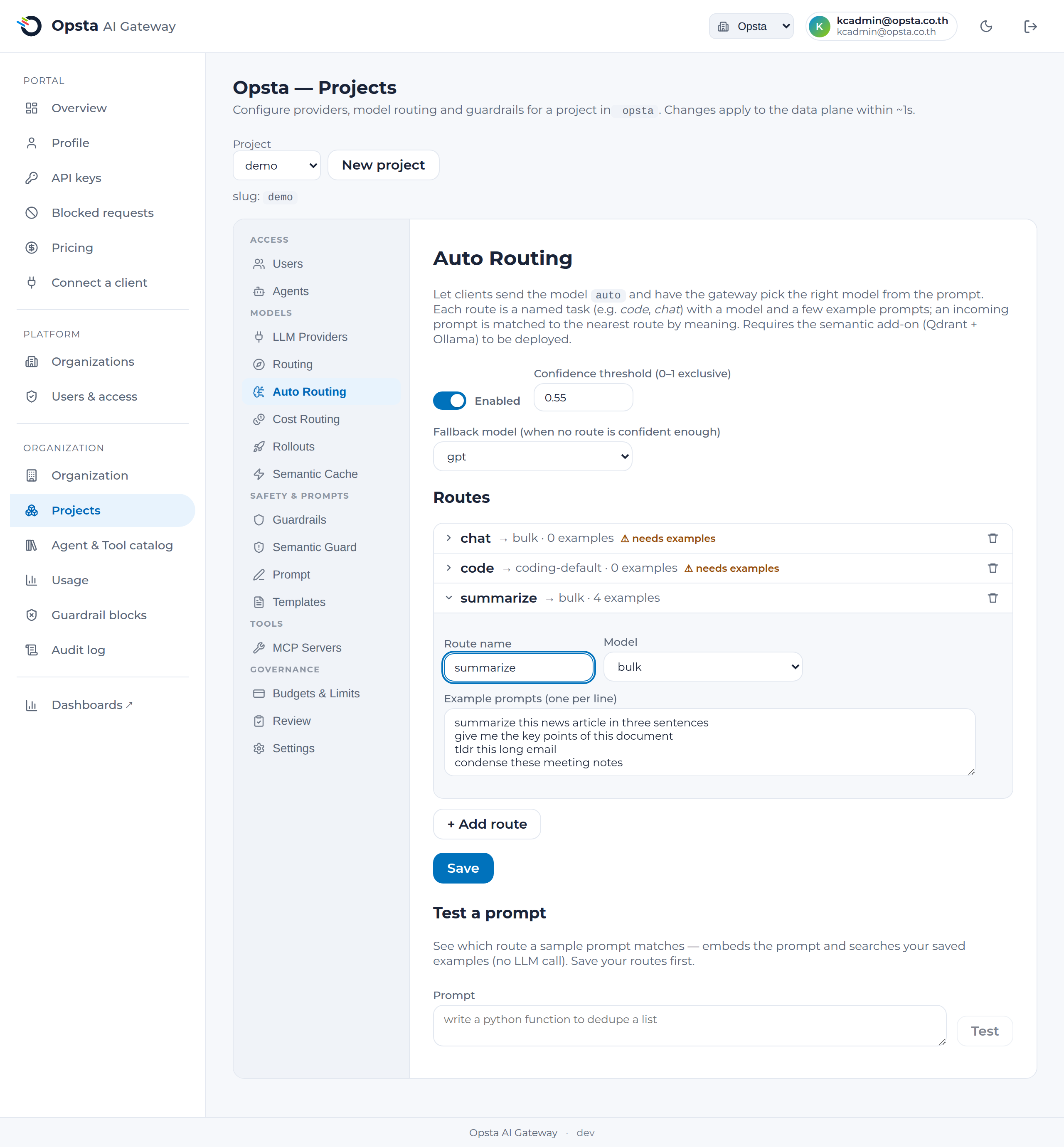
Configure routes
- Open Projects → Auto Routing and toggle it on.
- Set a confidence threshold (0–1) and a fallback model (used when no route is confident enough).
- Add a route: a name (e.g.
code,chat,summarize), a model (from the project's models), and a handful of example prompts (one per line) that are typical of that route. Three to five clear examples per route work well. - Save. The examples are embedded and take effect within a second or two.
Test a prompt
Under Test a prompt, enter a sample prompt and the console shows the closest route, its similarity score vs. the threshold, and the model it would route to (or the fallback) — without sending a real request. Use it to sanity-check your routes and examples before clients rely on them.
The cost benefit
Point your routes at cost-tiered models — a premium model for the code route, a cheap model for chat/summarize — and casual prompts automatically avoid the premium rate. The saving shows up in the FinOps cost split, since each request is metered against the model it actually used.
Client usage
Clients simply send auto as the model:
curl https://api.<your-domain>/v1/chat/completions \
  -H "Authorization: Bearer $KEY" \
  -d '{"model":"auto","messages":[{"role":"user","content":"write a Go function to dedupe a slice"}]}'
See Models & routing in the user manual.