

Routing
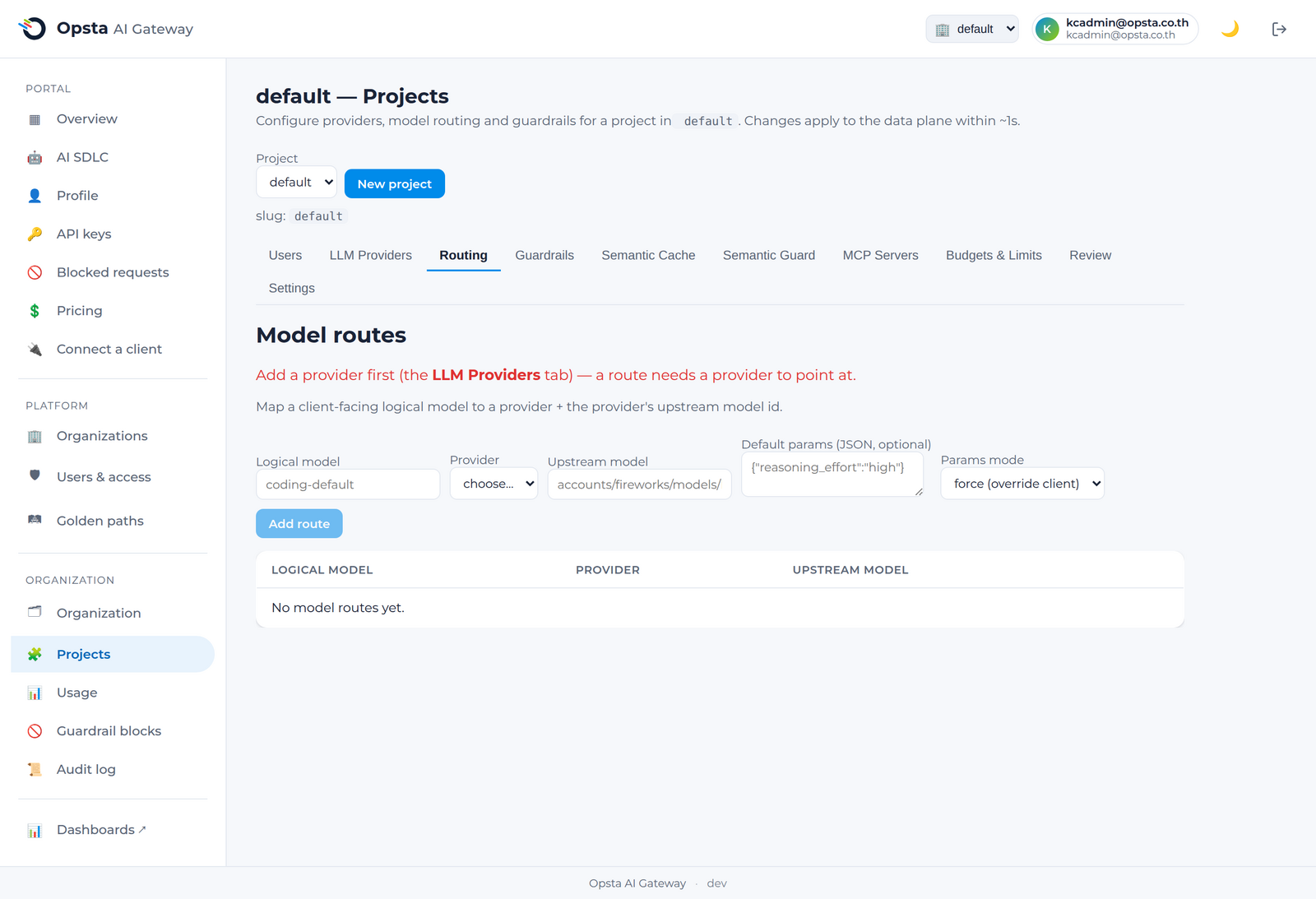
Routing maps the logical model a client requests (e.g. coding-default) to a provider and an upstream model. This indirection is the stable contract: clients use logical names, and you re-point them without changing any client code.
Who can do this
Org admins (for their organization) and platform admins, on Projects → Routing.
Add a route
- Open Projects → Routing.
- Click Add route.
- Set the logical model (the name clients send, e.g.
coding-defaultorbulk). - Choose the provider (added here) and the upstream model that provider serves.
- (Optional) Set a Reasoning effort (none / low / medium / high). When set, the gateway adds a default
reasoning_effortto requests for this logical model — a request that sets the field itself always overrides it. Applies to OpenAI-compatible providers (DeepSeek, etc.); native Claude/Gemini support is planned. - Save. Requests for that logical model now flow to the chosen provider and model.
How it's enforced
When a request arrives, the gateway resolves its model field through these routes before applying budgets and calling the provider — see Request lifecycle. Because the logical name is the contract, you can switch a route's provider or model and clients see no change.
Keep logical names stable
Agree on logical names with your developers (e.g. coding-default, bulk) and keep them stable. Swap the provider behind them as your cost or quality needs change.
Next steps
- Budgets & limits — cap spend on these routes.
- Pricing — set the cost basis used for budgets.