

Budgets & limits
Budgets and limits are how you control AI spend. The gateway enforces hierarchical monthly USD budgets and per-minute token limits, so no team can run up a surprise bill.
Who can do this
Org admins (for their organization) and platform admins, on Projects → Budgets & Limits.
The hierarchy
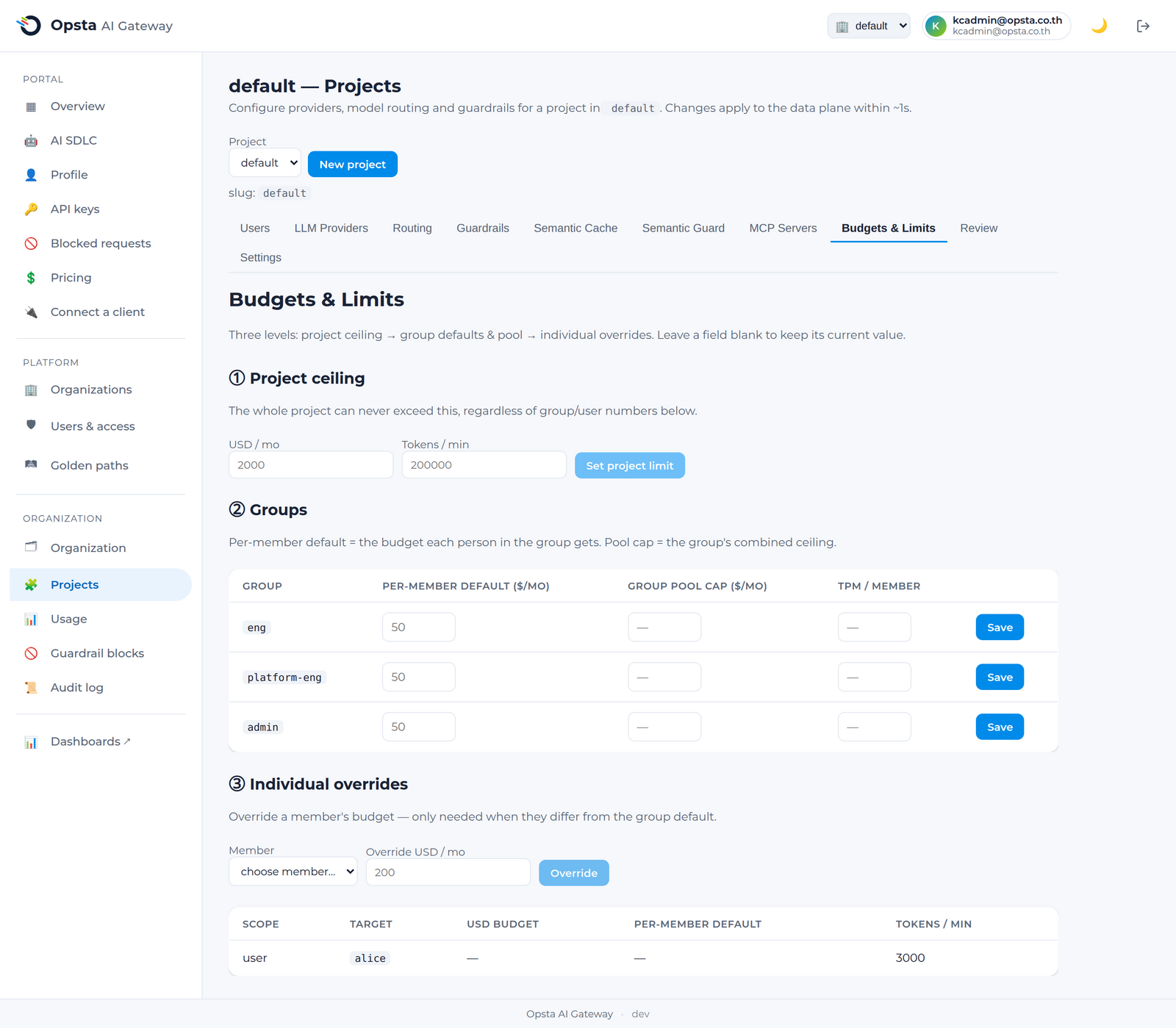
Budgets cascade: organization ≥ project ≥ group ≥ user, and the tightest cap always wins. A platform owner sets a hard ceiling at the top and delegates finer caps downward.
Set a budget
- Open Projects → Budgets & Limits.
- Set a project, group, or user monthly USD budget.
- Optionally set a per-minute token limit (TPM) at the same level.
- Save. The control plane reconciles the limits to the gateway within seconds.
Remove a budget
Every row in the limits table has a Delete — the project ceiling, a group default, or an individual override. Deleting a limit doesn't leave a consumer unbounded: enforcement simply falls back to the next level up (a user override → the group default → the project ceiling → the organization). Use this to undo a one-off override once it's no longer needed.
What happens at the cap
When a consumer reaches the tightest applicable budget or token limit, further requests are rejected with 429 Too Many Requests until the monthly reset (calendar month, UTC) or until you raise the cap. Semantic caching reduces spend against budgets by serving similar prompts from cache.
See where spend goes
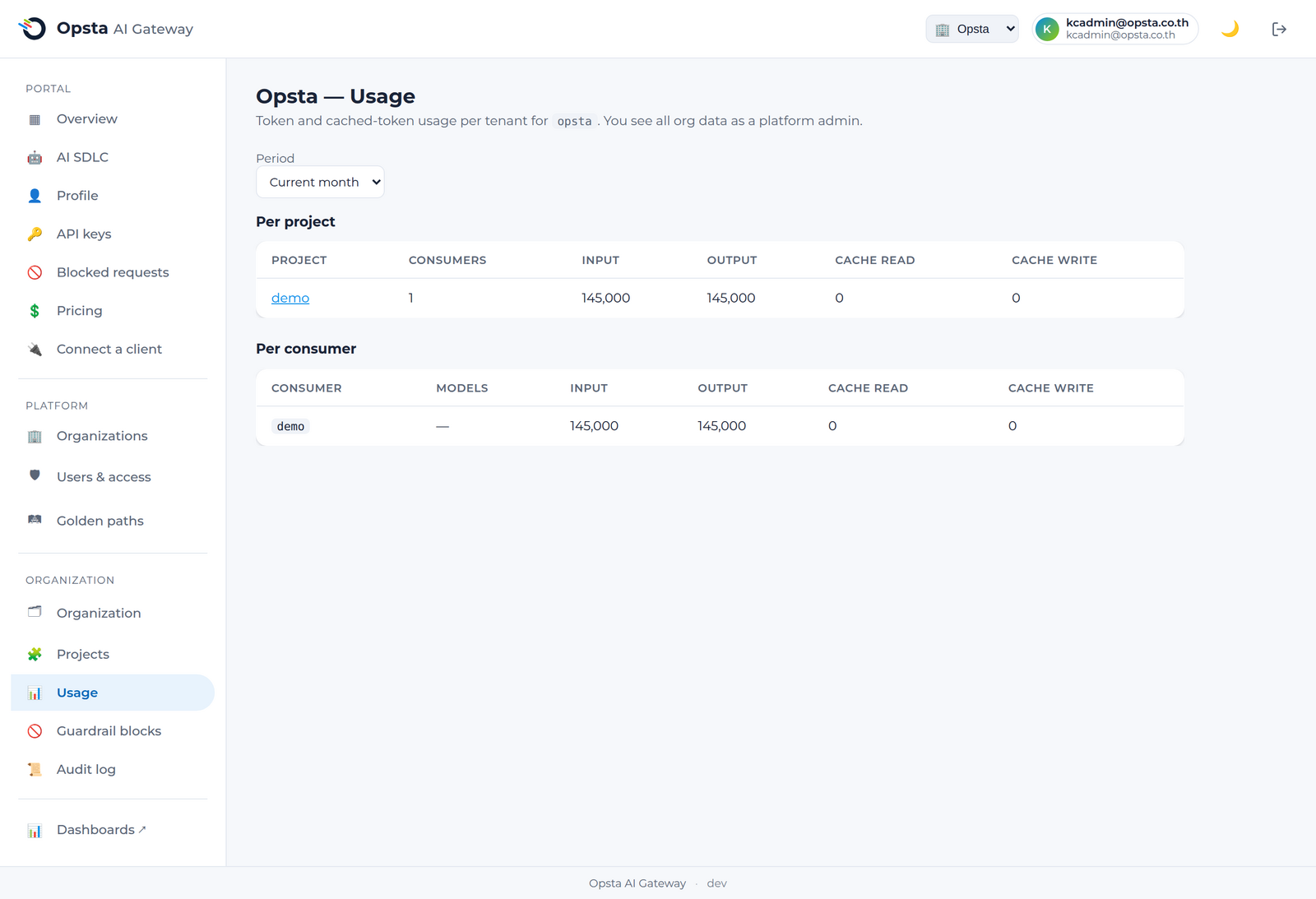
The Usage screen (Organization section) breaks down token and cached-token usage by project and consumer, so you can find the heavy users before they hit a cap.
Next steps
- Pricing — the per-model rates budgets are calculated from.
- Semantic cache — cut spend with caching.