

SSO & IdP brokering
Each organization connects its own identity provider. Your users sign in with their corporate account and land in the right organization, group, and role automatically — no per-user setup.
Who can do this
Org admins configure their organization's identity provider on Organization → SSO. Platform admins configure global login methods.
How brokering works
The broker reads the claims your identity provider sends (email, name, groups) and maps them to the right organization, group, and role. On first login, a matching user is provisioned just-in-time — no manual account creation.
Connect your identity provider
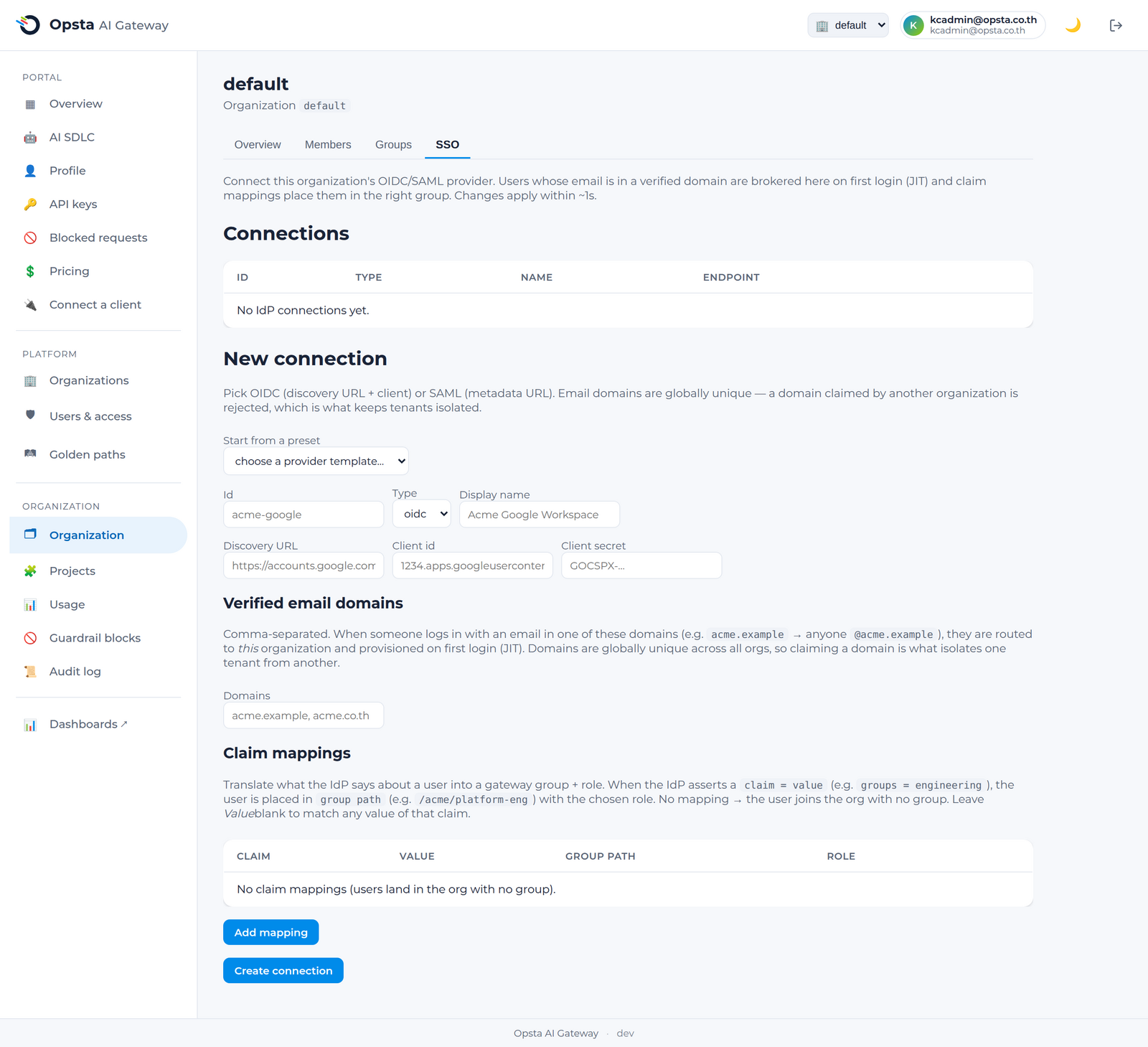
- Open Organization → SSO.
- Add a connection — OIDC or SAML — with the endpoint/metadata from your IdP.
- Configure claim mappings: which claim carries the email, the name, and the groups.
- Map groups to roles (e.g. your
ai-adminsgroup →org_admin). - Optionally restrict to verified email domains.
- Save and test. Your users can now sign in with their corporate account.
One mechanism for all login
All brokered login flows through this per-organization path, so you manage identity in one place and users get a consistent corporate sign-in.
Next steps
- Organizations & members — roles and groups the mappings target.
- Hardening — identity and token security.