

AI kill-switch
The kill-switch is an emergency stop: it immediately blocks all AI and agent (MCP) traffic for a scope, enforced at the gateway. Use it for an active incident, a suspected key leak, abuse, or a compliance hold — when you need traffic to stop now, not throttle. It is fully reversible: resume restores traffic within seconds, and budgets, keys, and configuration are left untouched.
Who can do this
Org admins can suspend their own organization or any of its projects. Platform admins can additionally suspend everything (global). On Projects → Settings (project scope).
How it differs from budgets
Budgets & limits throttle traffic gradually by spend and rate. The kill-switch is a deliberate, instant, all-or-nothing halt for the chosen scope — every consumer in it gets an HTTP 503 (a temporary "service suspended", so well-behaved clients may retry once you resume). It is the control you reach for in an incident.
Scopes
The kill-switch works at three tiers, mirroring budgets:
- Project — block every consumer in one project. (Projects → Settings.)
- Organization — block every project in an organization. (Org admins, via the API today.)
- Global — block all AI traffic across the whole platform. (Platform admins, via the API today.)
Suspend a project
- Open Projects, select the project, and go to the Settings tab.
- Under Traffic kill-switch, optionally enter a reason (recorded in the audit log).
- Click Suspend all traffic. Within a few seconds every LLM and MCP request from the project's consumers returns
503at the gateway.
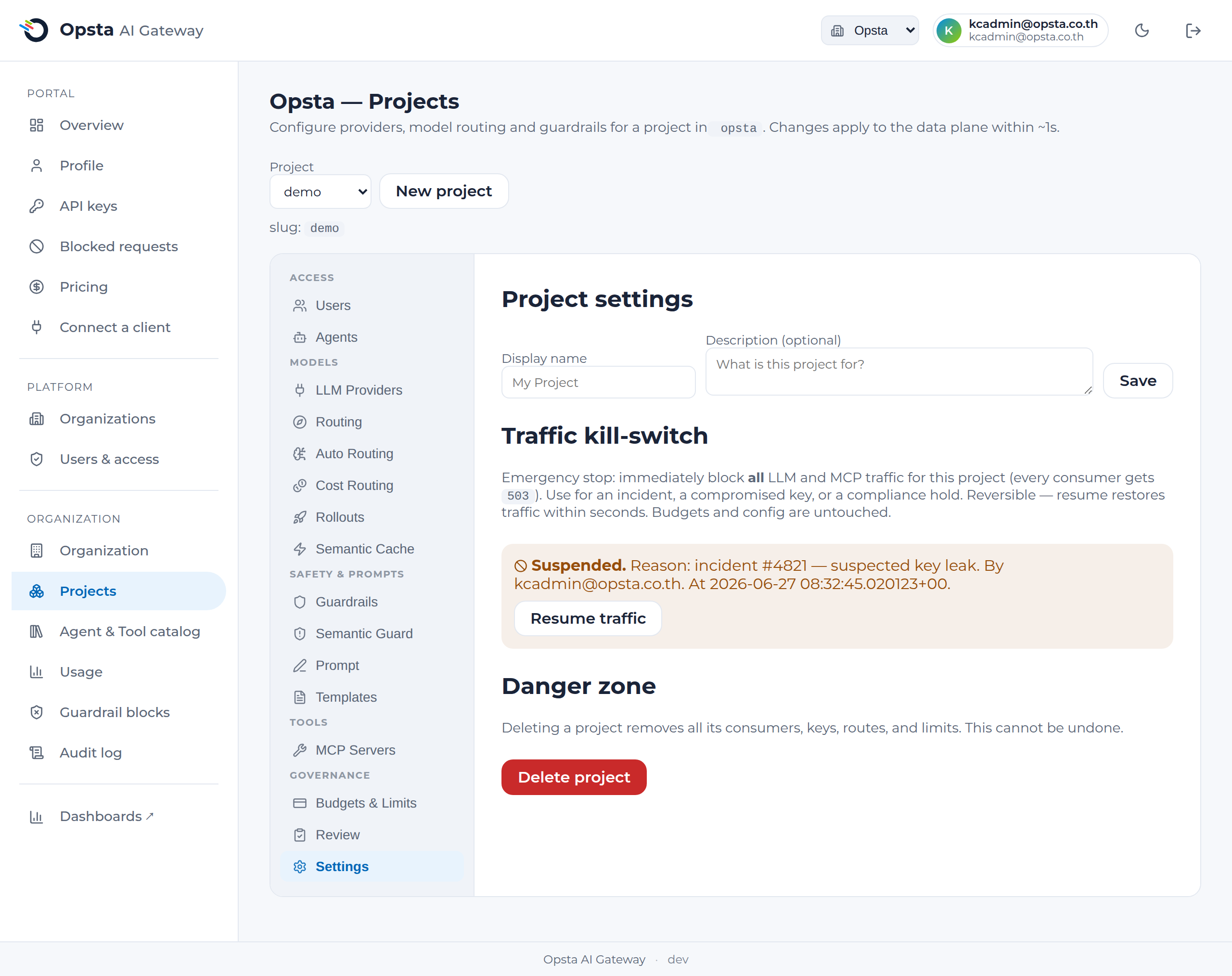
Resume
On the same screen the section shows who suspended it, when, and the reason. Click Resume traffic and normal traffic returns within seconds.
Everything is audited
Each suspend and resume is written to the audit log with the actor, scope, and reason — so an emergency stop is always traceable.
What it blocks
Both governed paths, for every consumer in the scope:
- LLM requests to the OpenAI-compatible endpoint.
- MCP tool calls to registered MCP servers.
Consumers outside the suspended scope are unaffected.
Next steps
- Budgets & limits — for gradual, cost-based control.
- Audit log — review who suspended or resumed what.